
If not signed in, kindly sign in into FBO Master.
NOTE: A flight can only be voided once Check In is done.
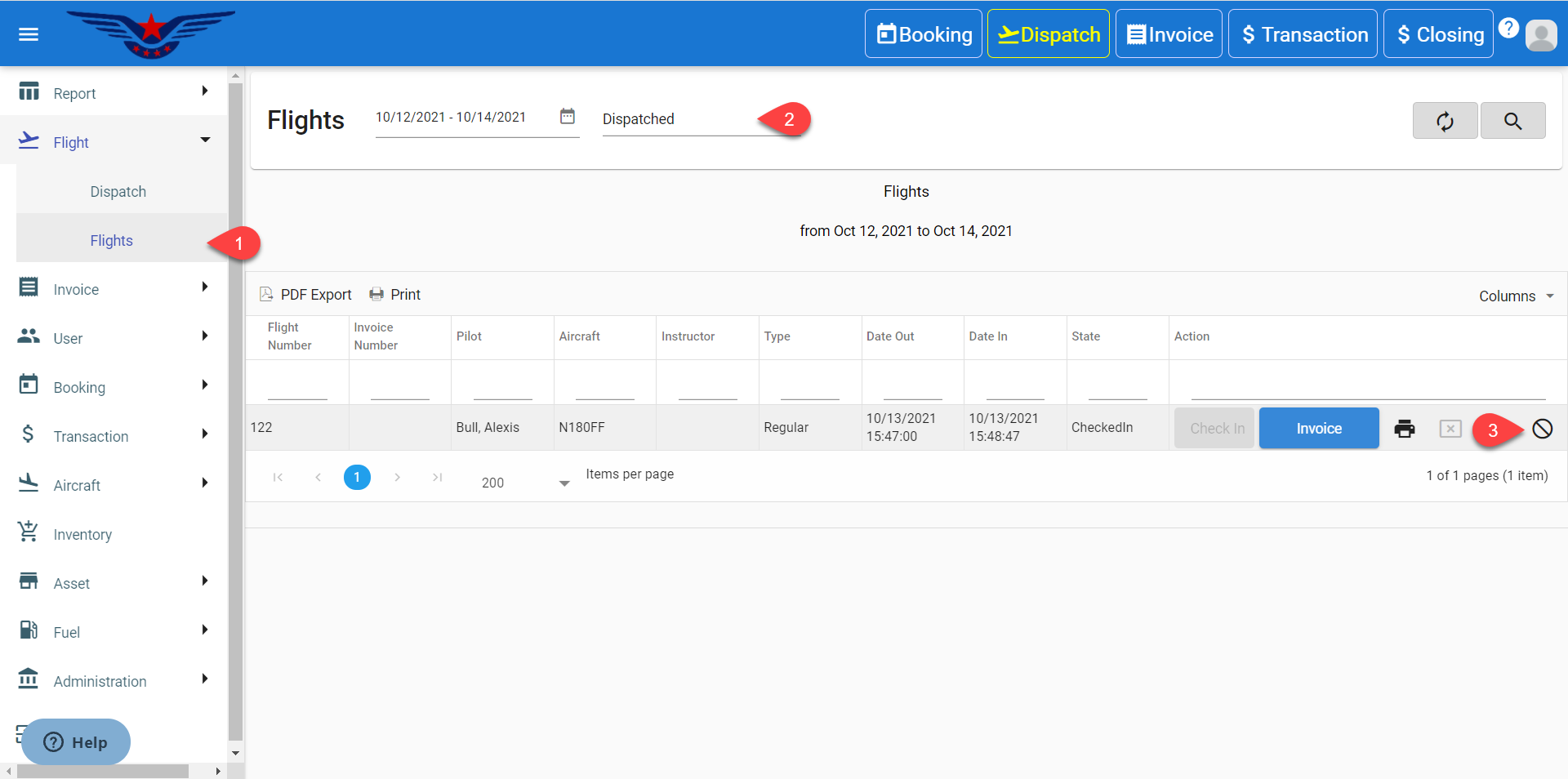
- Click on the hamburger icon on the top left corner of the navigation bar. Select Report main menu. Click on Flight Report sub menu.
- Navigate for the desired flight information or search using custom filters.
- Click on the Ban icon under the Action column corresponding to searched flight information.
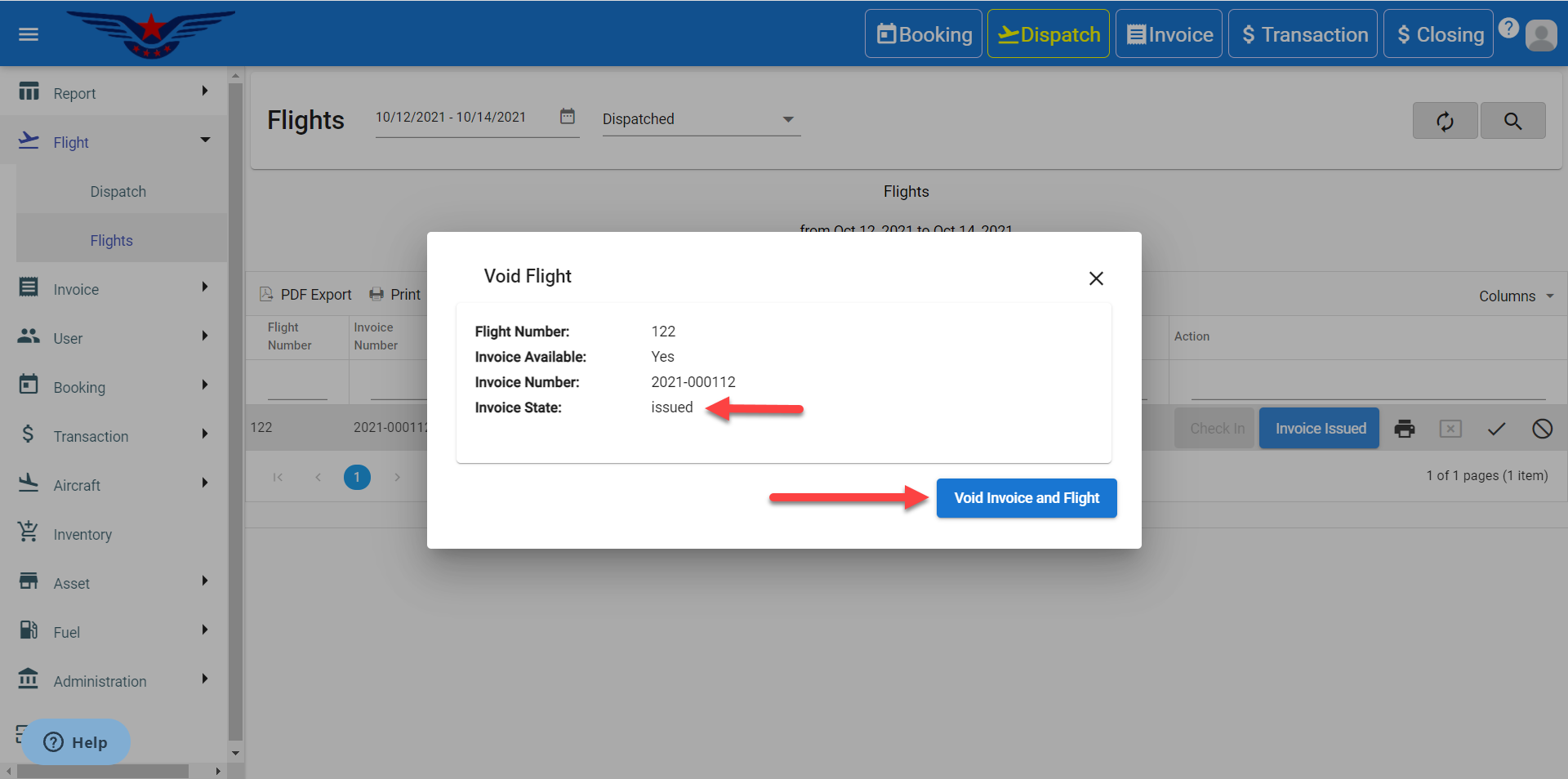
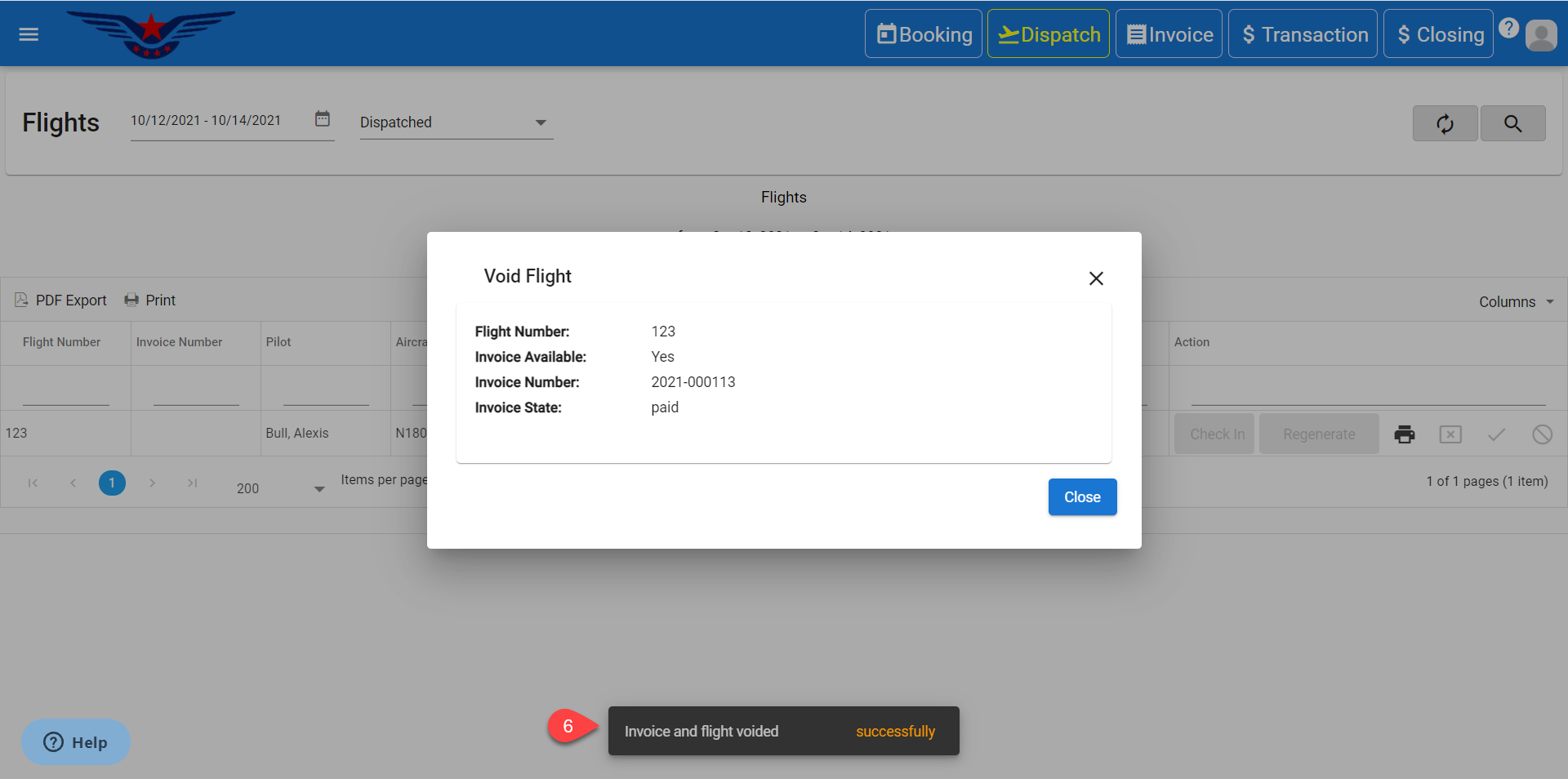
- A sheet to void the flight will be displayed.
- If the invoice is made and is ISSUED, then it will show Void Invoice and Flight button. Click on it.
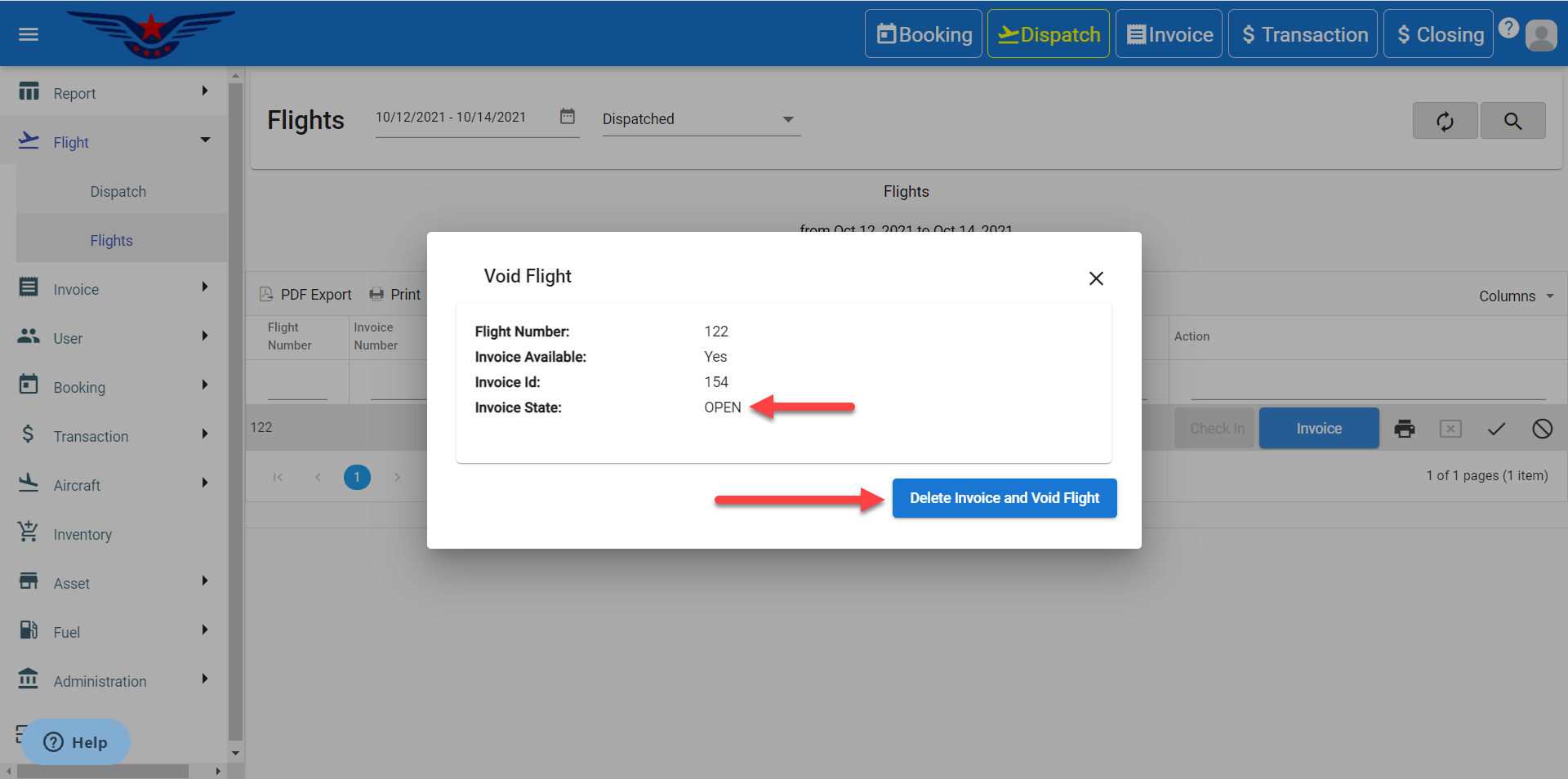
 If the invoice is made and is in OPEN state, then it will show Delete Invoice and Void Flight button. Click on it.
 If the invoice is paid, then Void Invoice and Flight button. Click on it.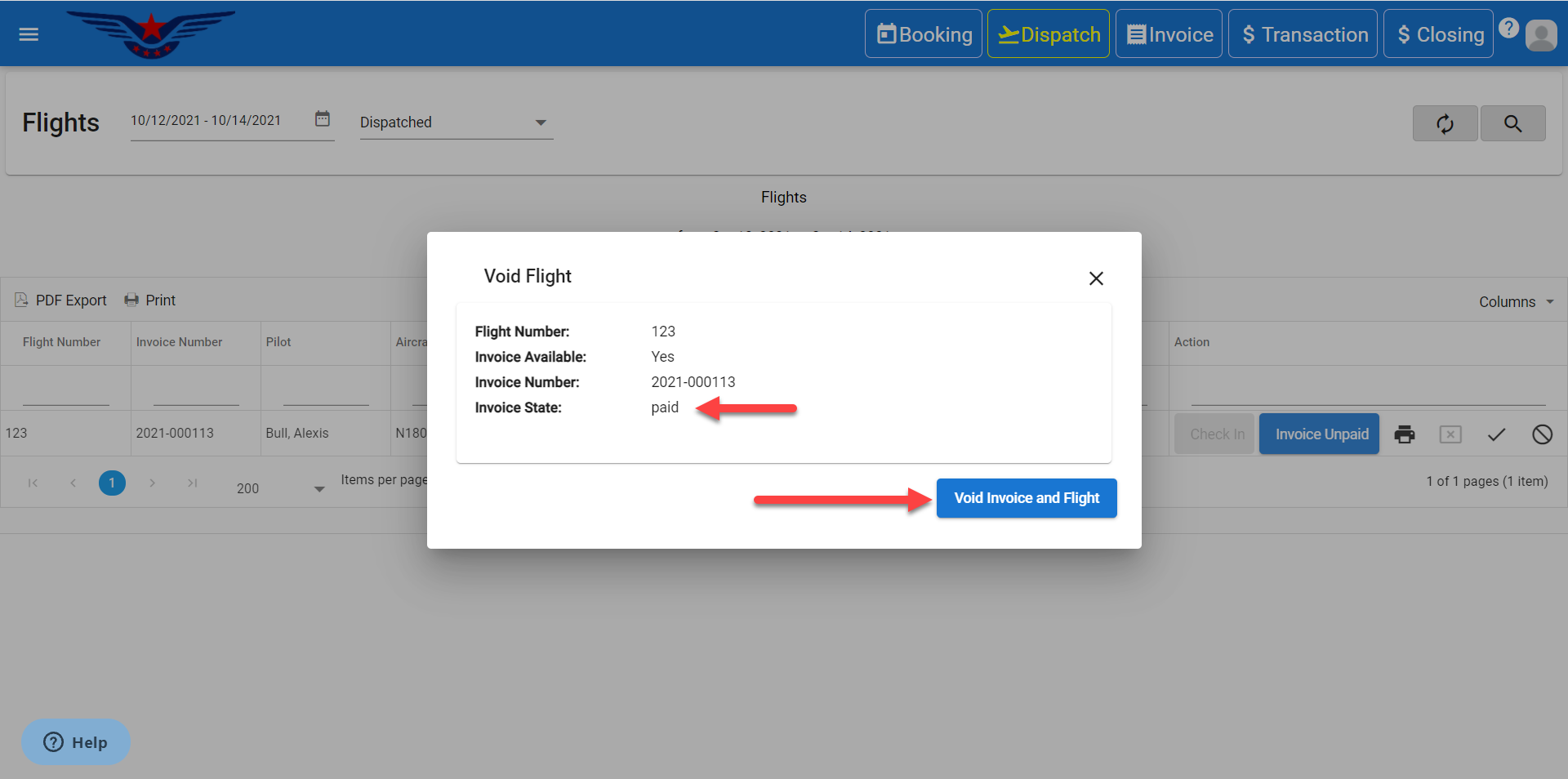
- A success message will be displayed.
Comments
0 comments
Please sign in to leave a comment.