
If not signed in, kindly sign in into FBO Master.
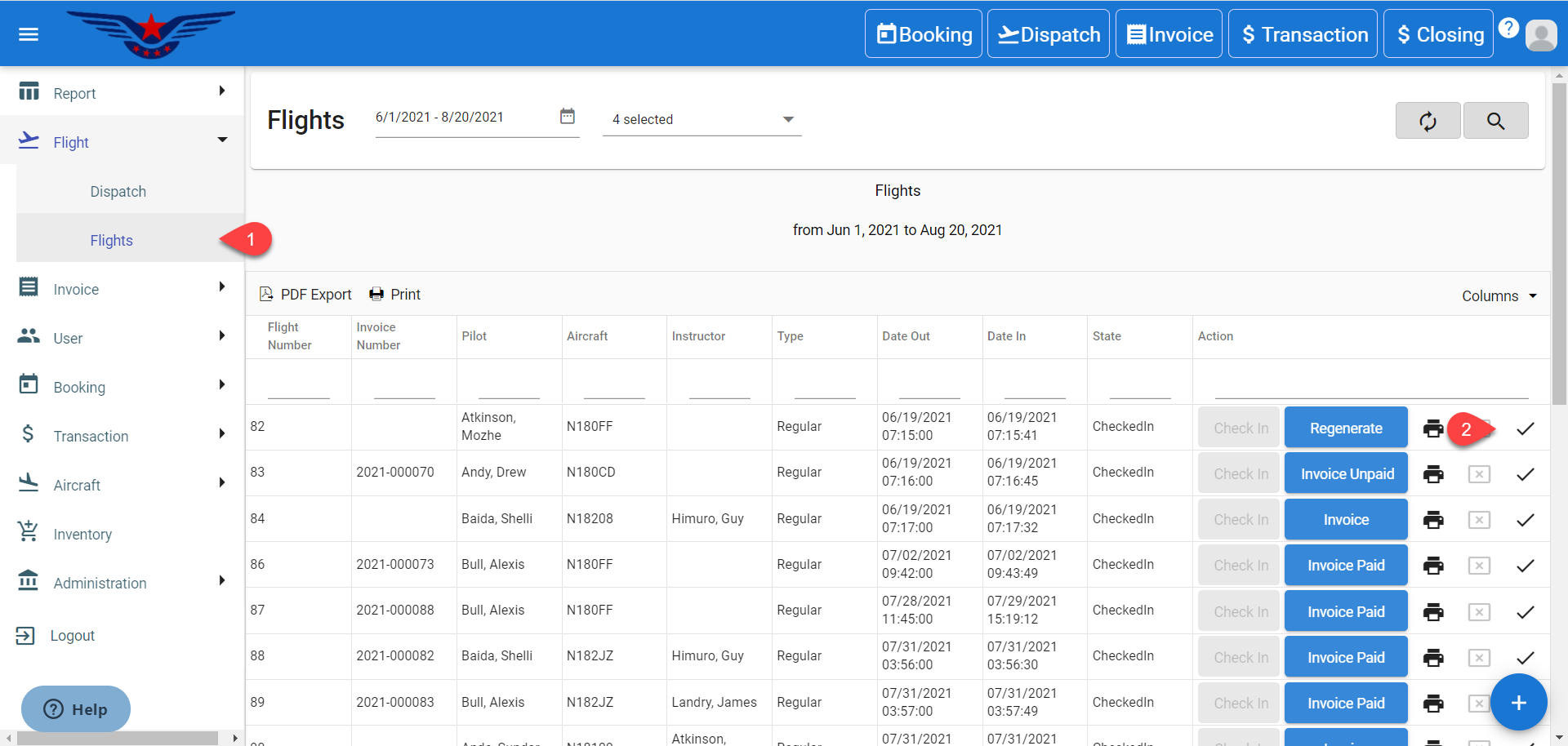
- Click on the hamburger icon on the top left corner of the navigation bar. Select Flight main menu. Click on the Flight sub menu.
- Flight List will be displayed. Click on the Tick icon under the Action column corresponding to the desired dispatch.
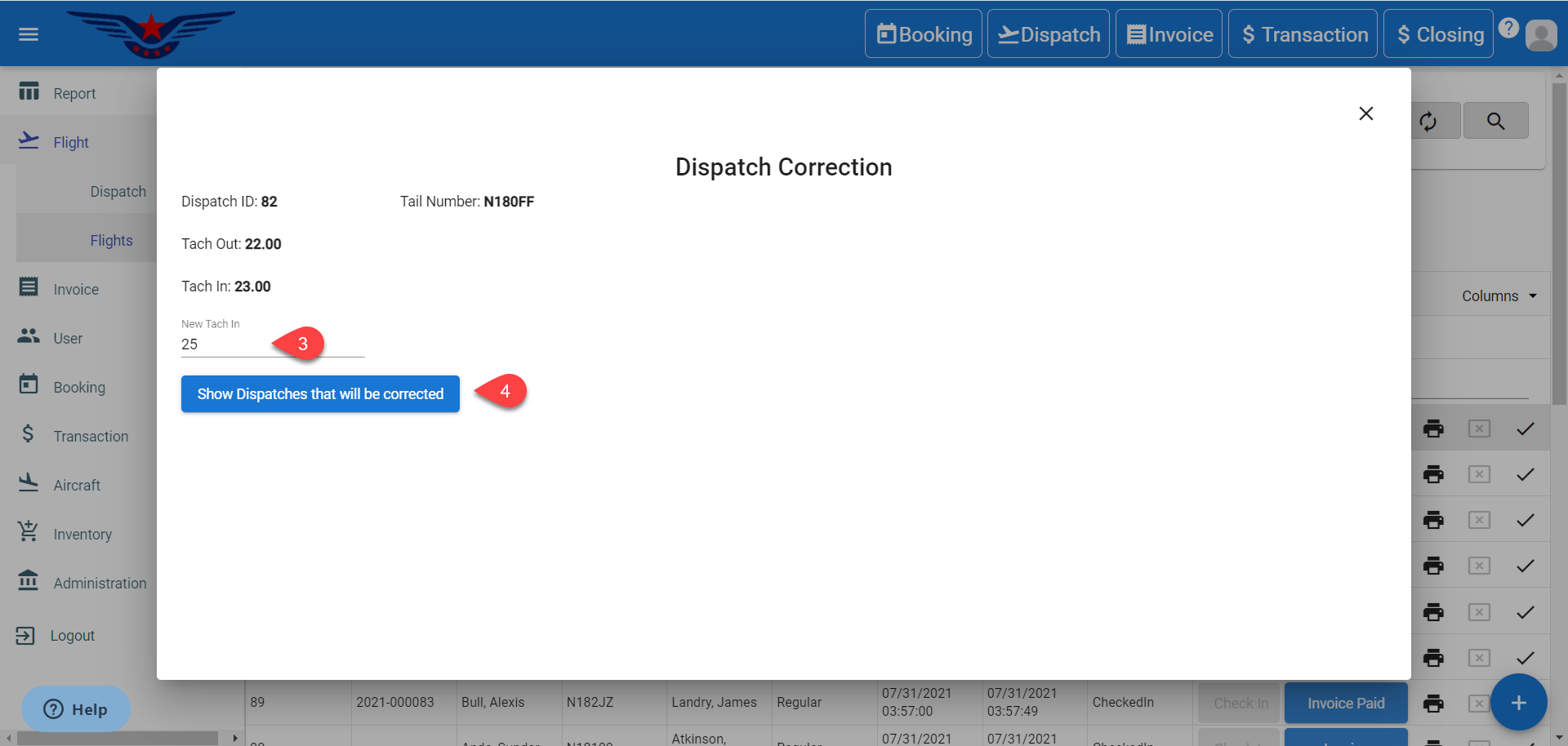
- Dispatch Correction sheet will be displayed. Change the New Tach In field.
- Click on Show Dispatches that will be corrected button.
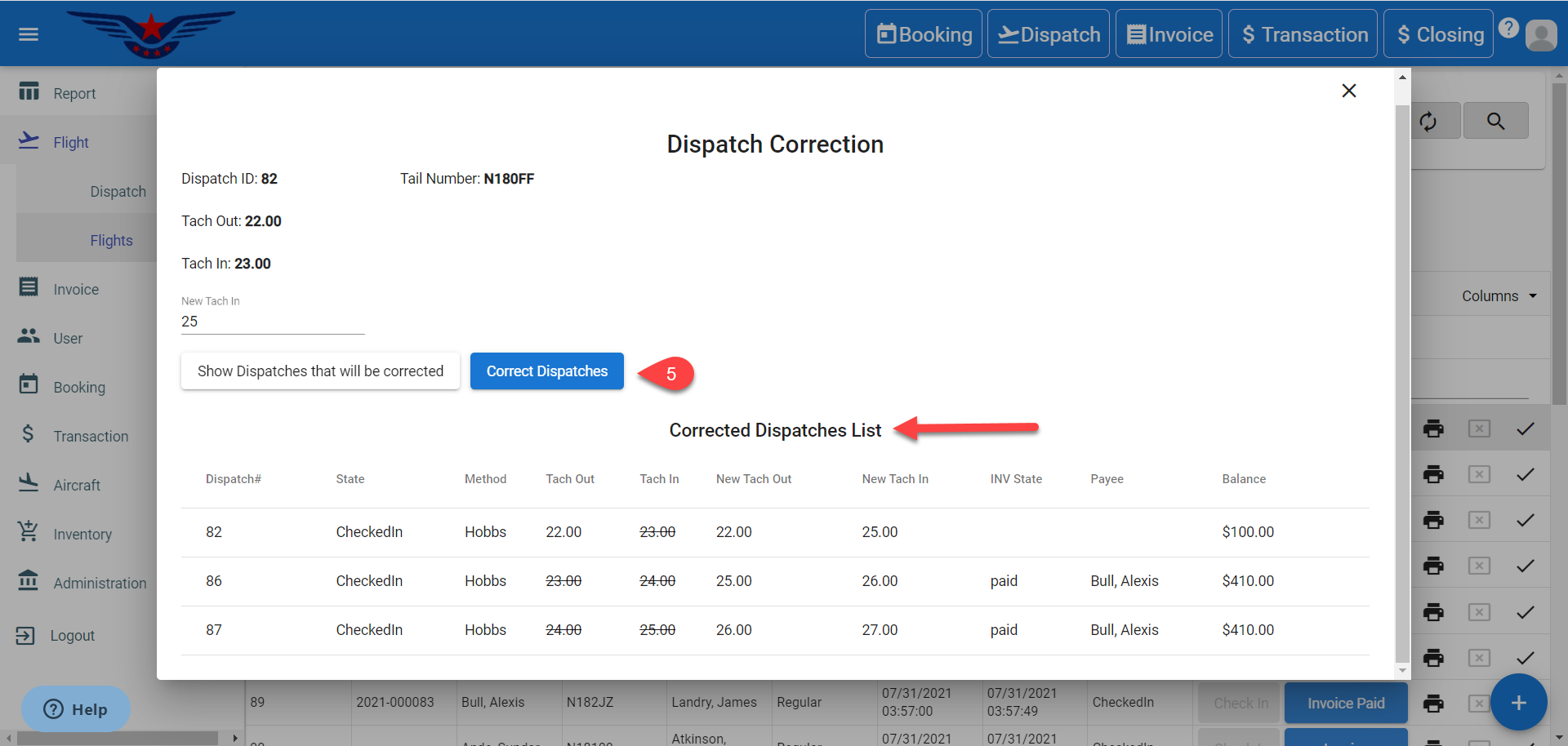
- The list of dispatches that will be corrected will be displayed. Click on Correct Dispatches button.
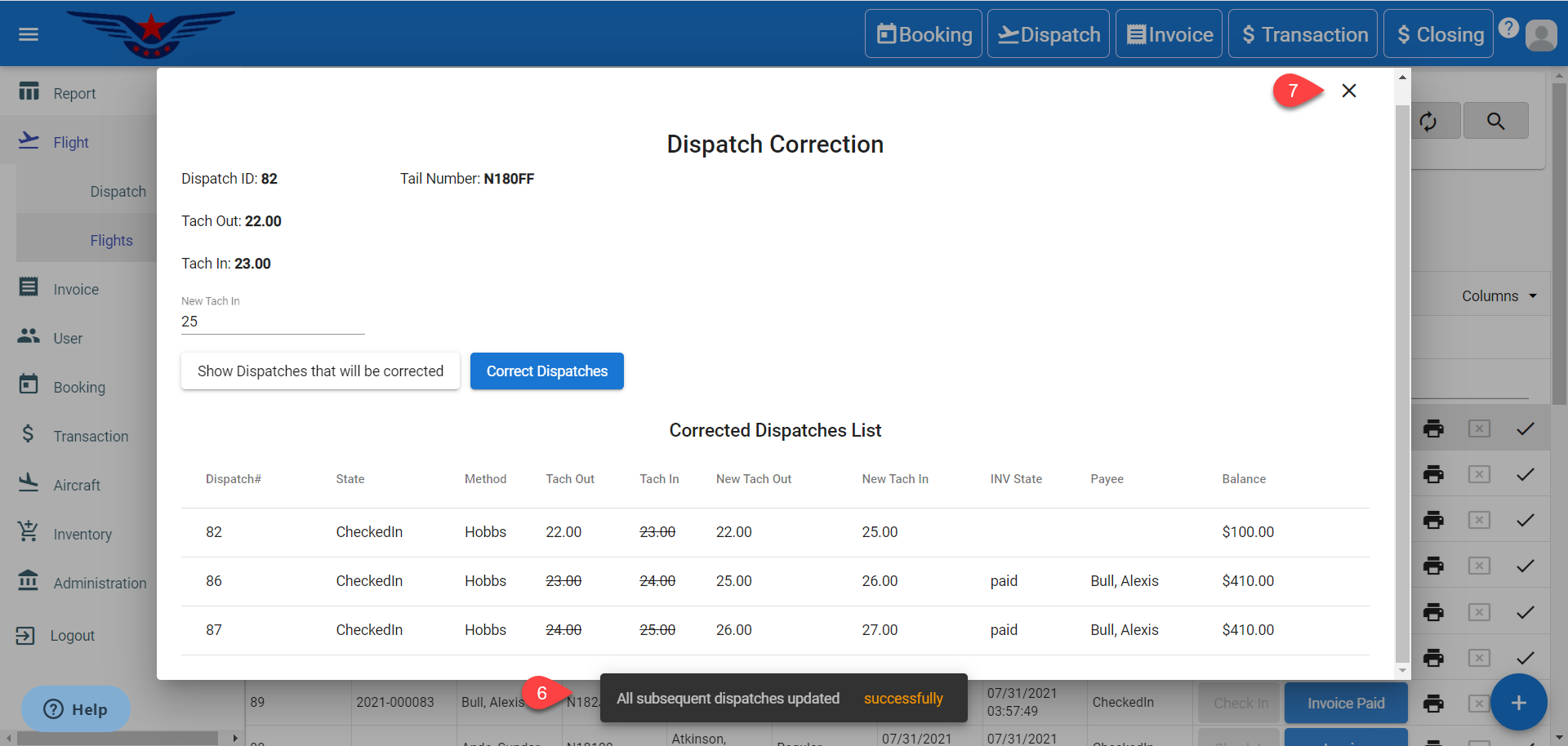
- A success message will be displayed.
- Click on X icon to close the Dispatch Correction sheet.
Comments
0 comments
Please sign in to leave a comment.