
If not signed in, kindly sign in into FBO Master.
-
Either click on the hamburger icon on the top left corner of the navigation bar. Select Flight main menu. Click on the Flights sub menu[a]. Click on the (+) button on bottom right corner[b].
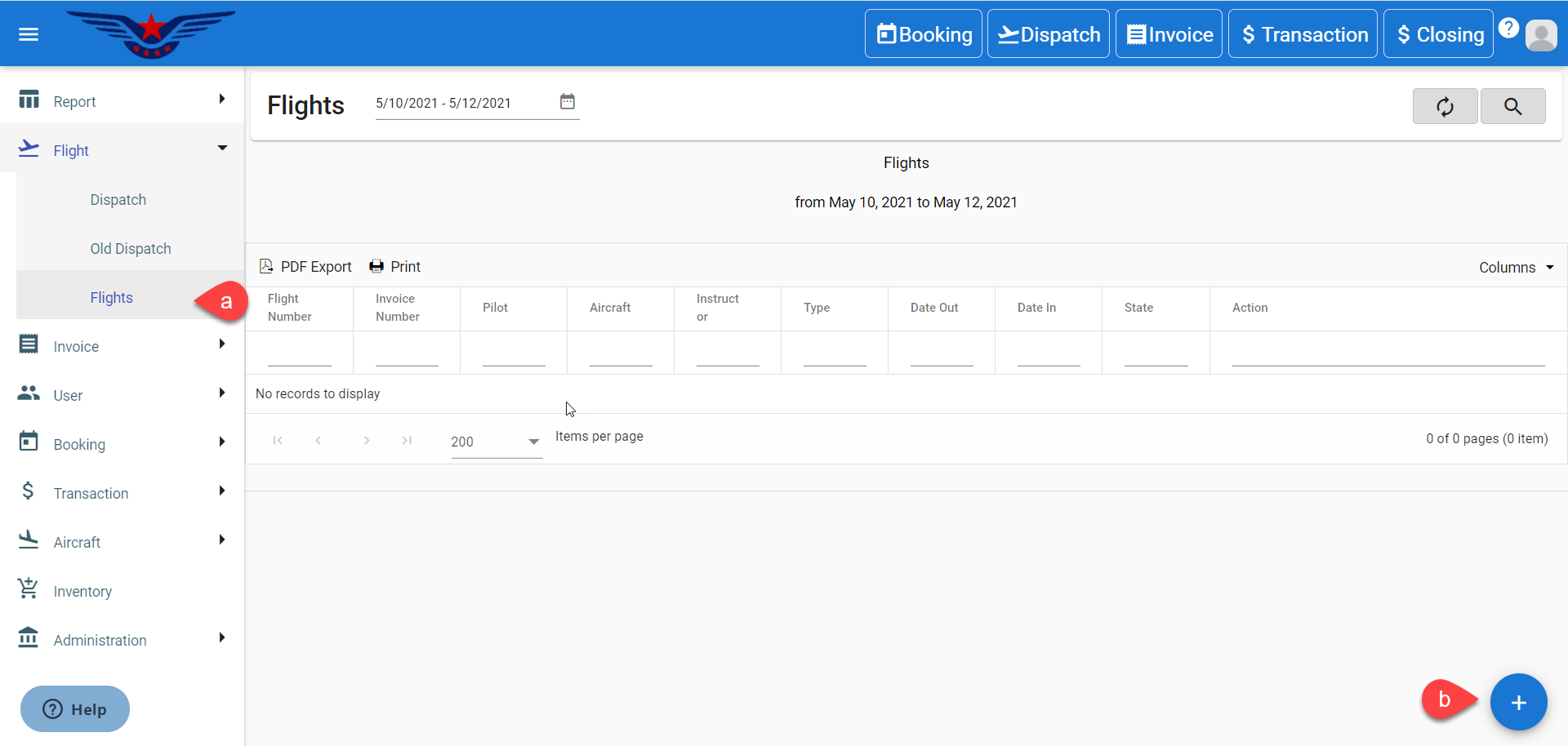
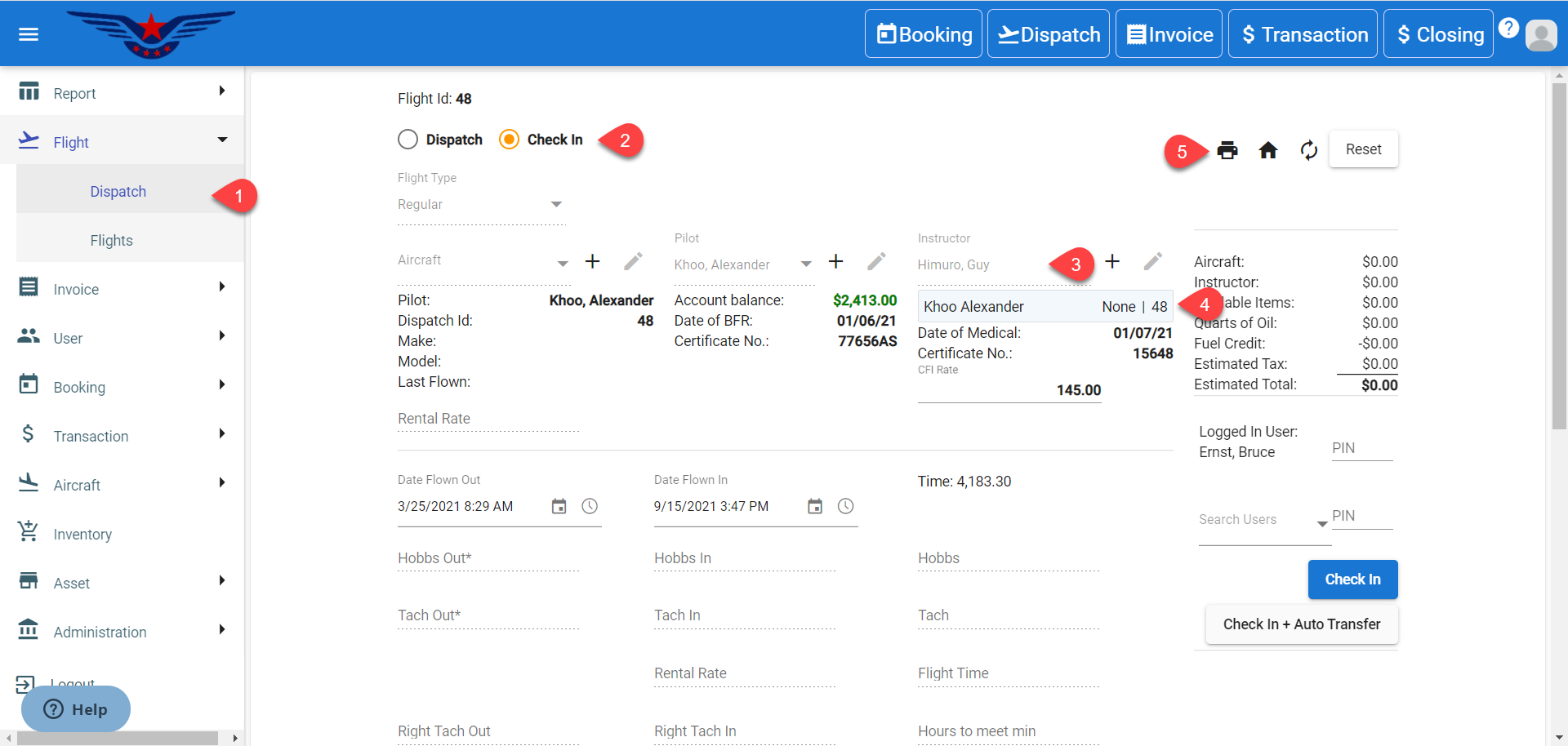
Or click on the hamburger icon on the top left corner of the navigation bar. Select Flight main menu. Click on the Dispatch sub menu.
- Click on the Check In radio button. By default, Dispatch radio button is selected.
- Select an Instructor from the Instructor drop down list.
- Double click on the Dispatch Id under the Instructor drop down list.
- The existing detail of the Dispatch Id. will be auto filled. Click on the Print icon.
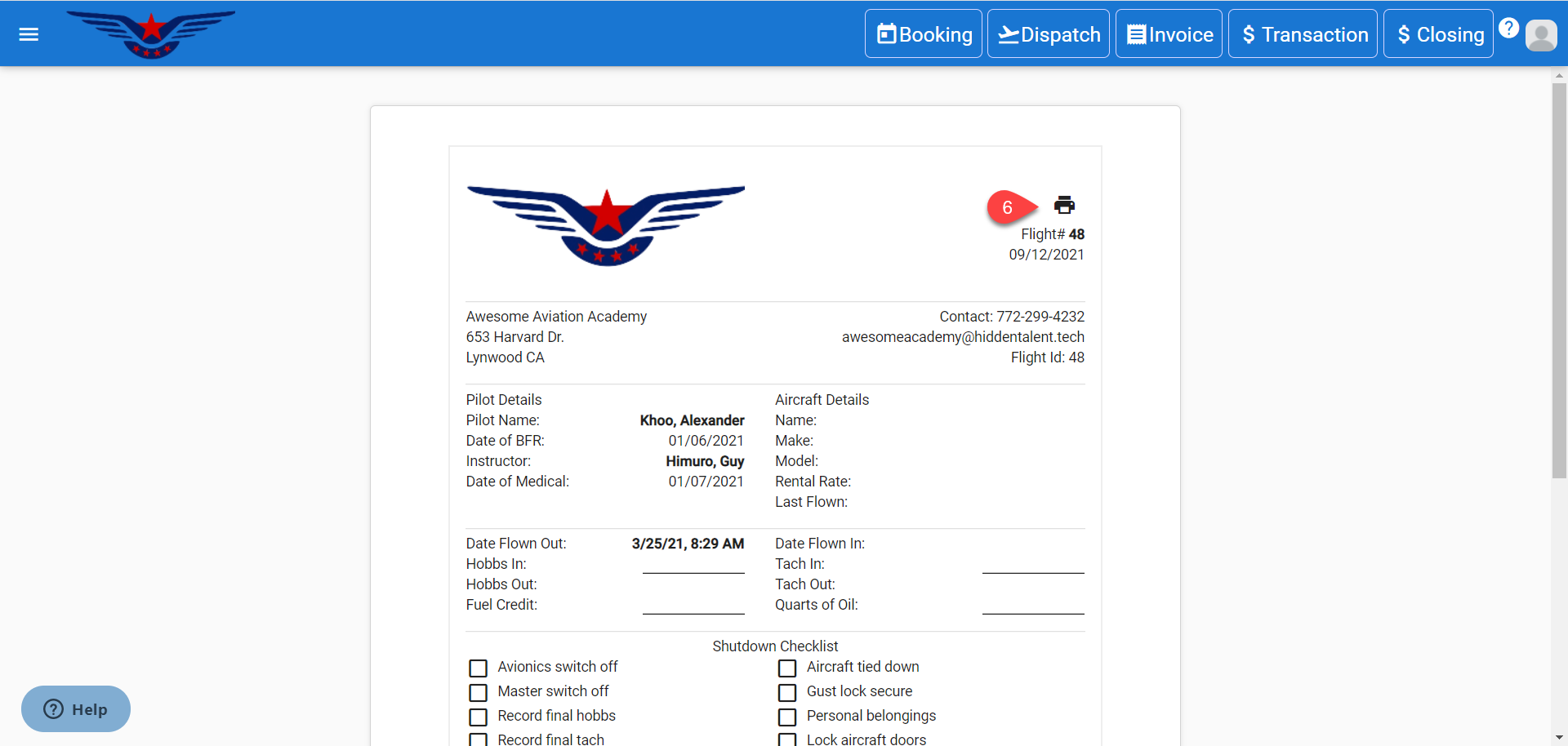
- Dispatch sheet will be displayed in a separate tab. Click on the Print icon.
Comments
0 comments
Please sign in to leave a comment.