
If not signed in, kindly sign in into FBO Master.
1. Click on the hamburger icon on the top left corner of the navigation bar. Select Flight main menu. Click on the Flights sub menu[a]. Flight List will be displayed, click on (+) button on bottom right corner of the screen[b].
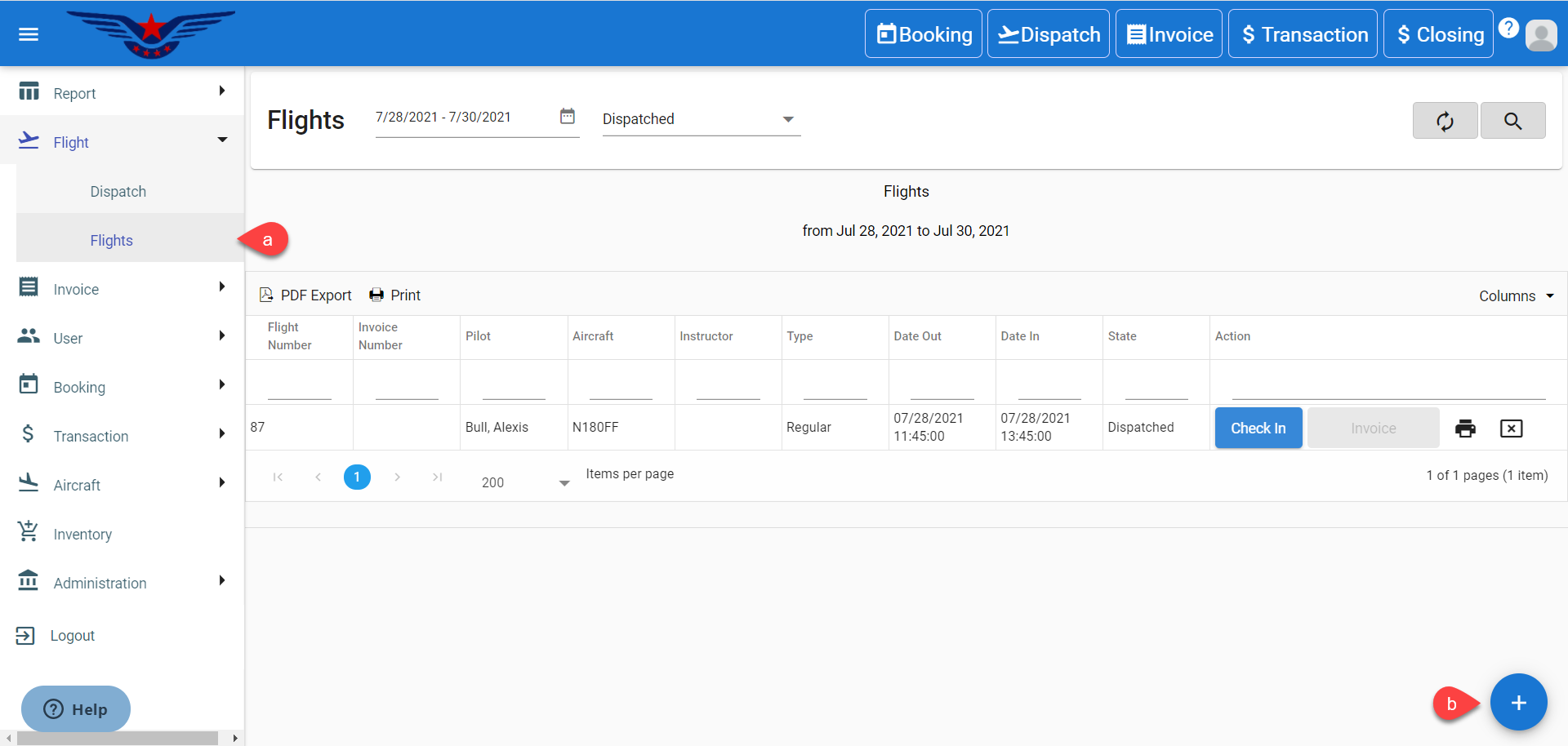
OR
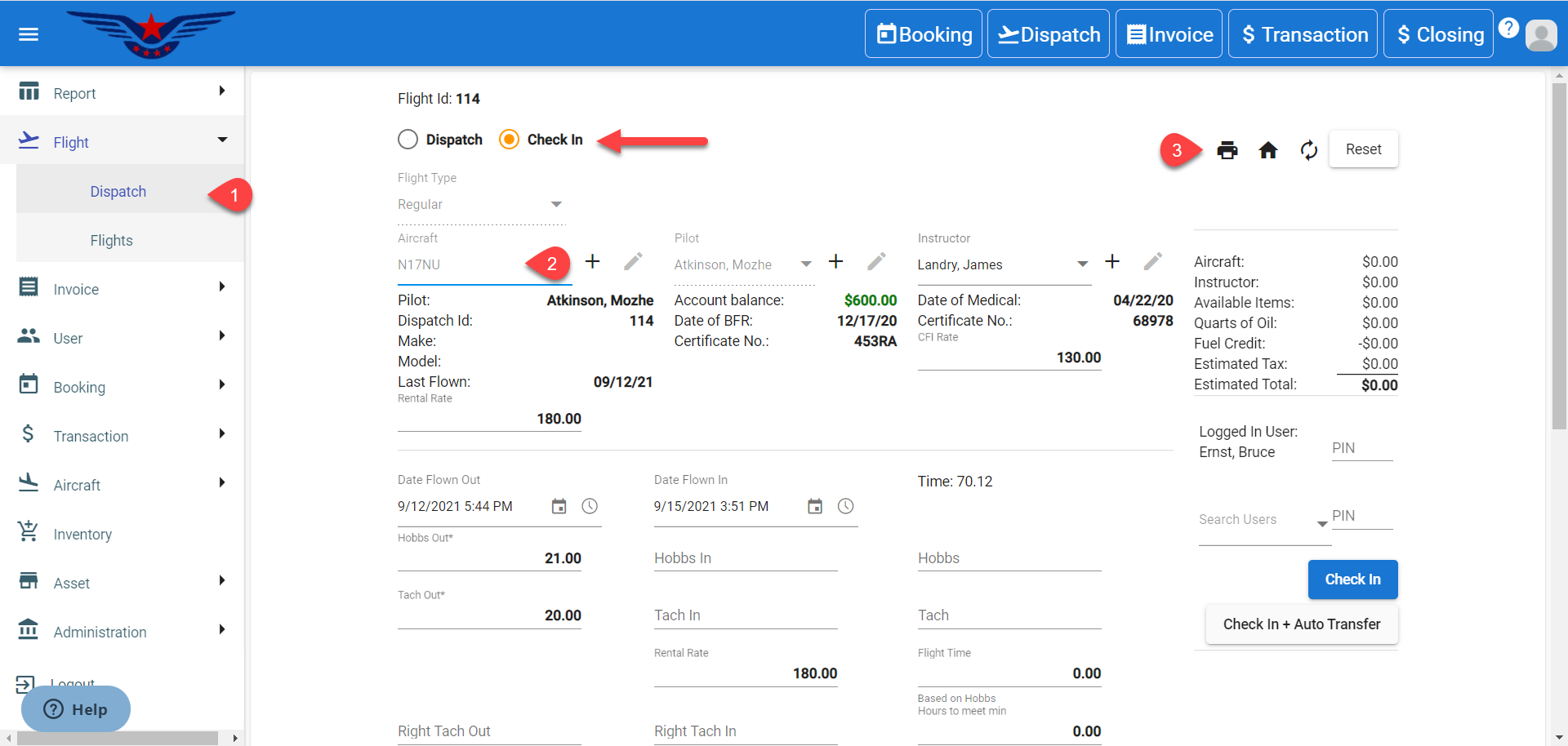
Click on the hamburger icon on the top left corner of the navigation bar. Select Flight main menu. Click on the Dispatch sub menu.
2. Select the Check In radio button. Select an Dispatched Aircraft (striked out aircraft) from Aircraft drop down list.
3. All the existing details of the dispatched aircraft will be auto filled. Click on the Print icon.
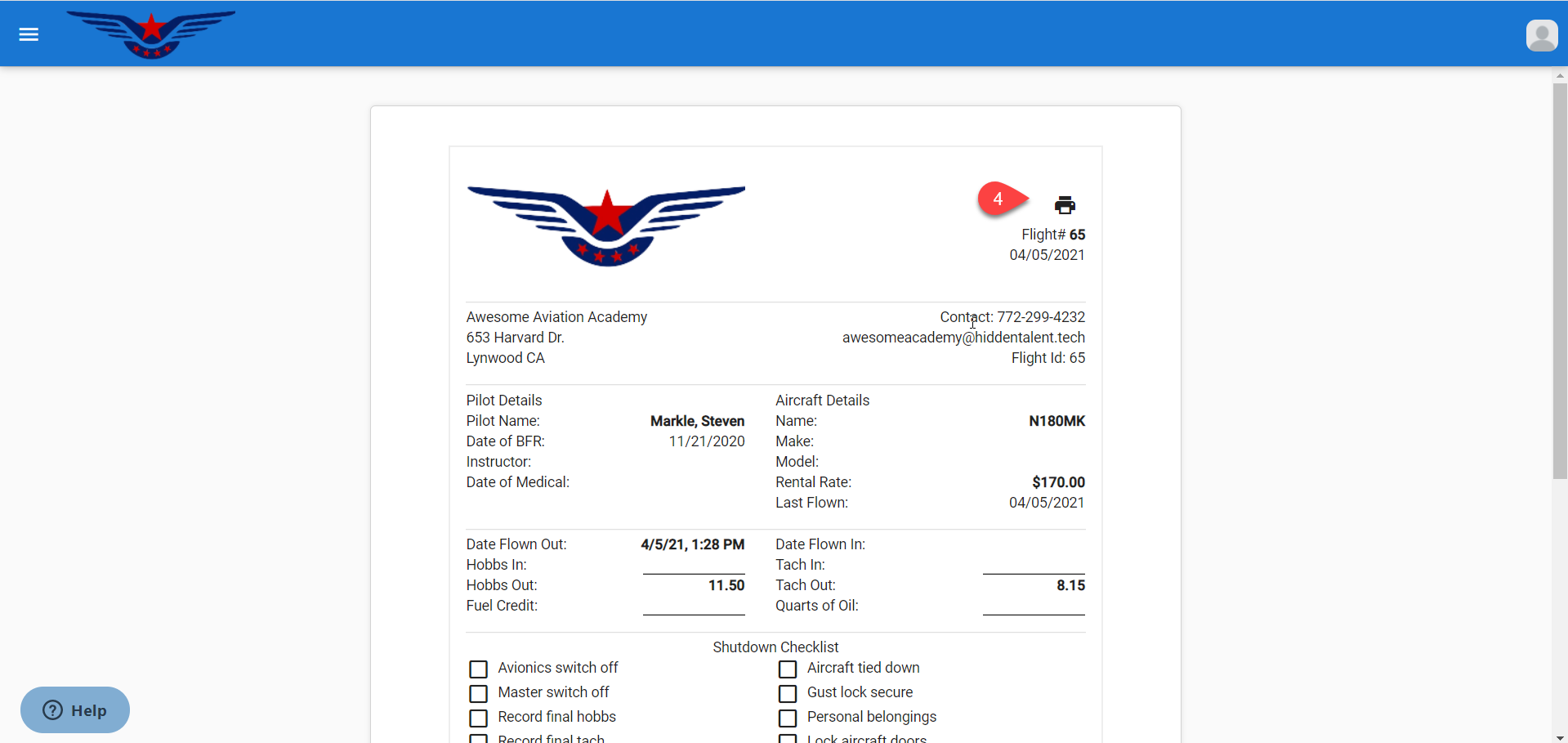
4. Dispatch sheet will be displayed in a separate tab. Click on the Print icon.
Comments
0 comments
Please sign in to leave a comment.