
If not signed in, kindly sign in into FBO Master.
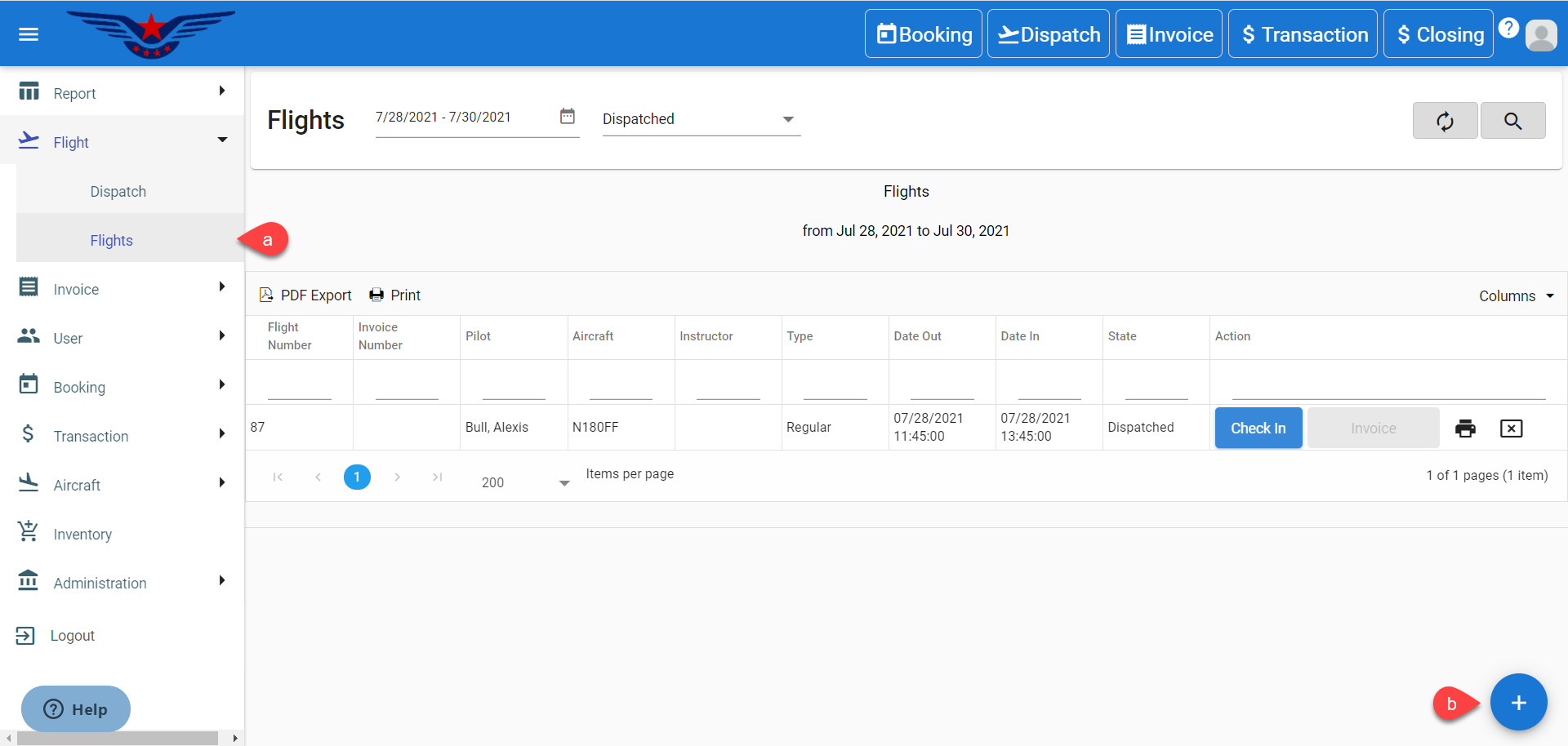
1. Click on the hamburger icon on the top left corner of the navigation bar. Select Flight main menu. Click on the Flights sub menu[a]. Click on the (+) button on bottom right corner[b].
OR
Click on the hamburger icon on the top left corner of the navigation bar. Select Flight main menu. Click on the Dispatch sub menu.
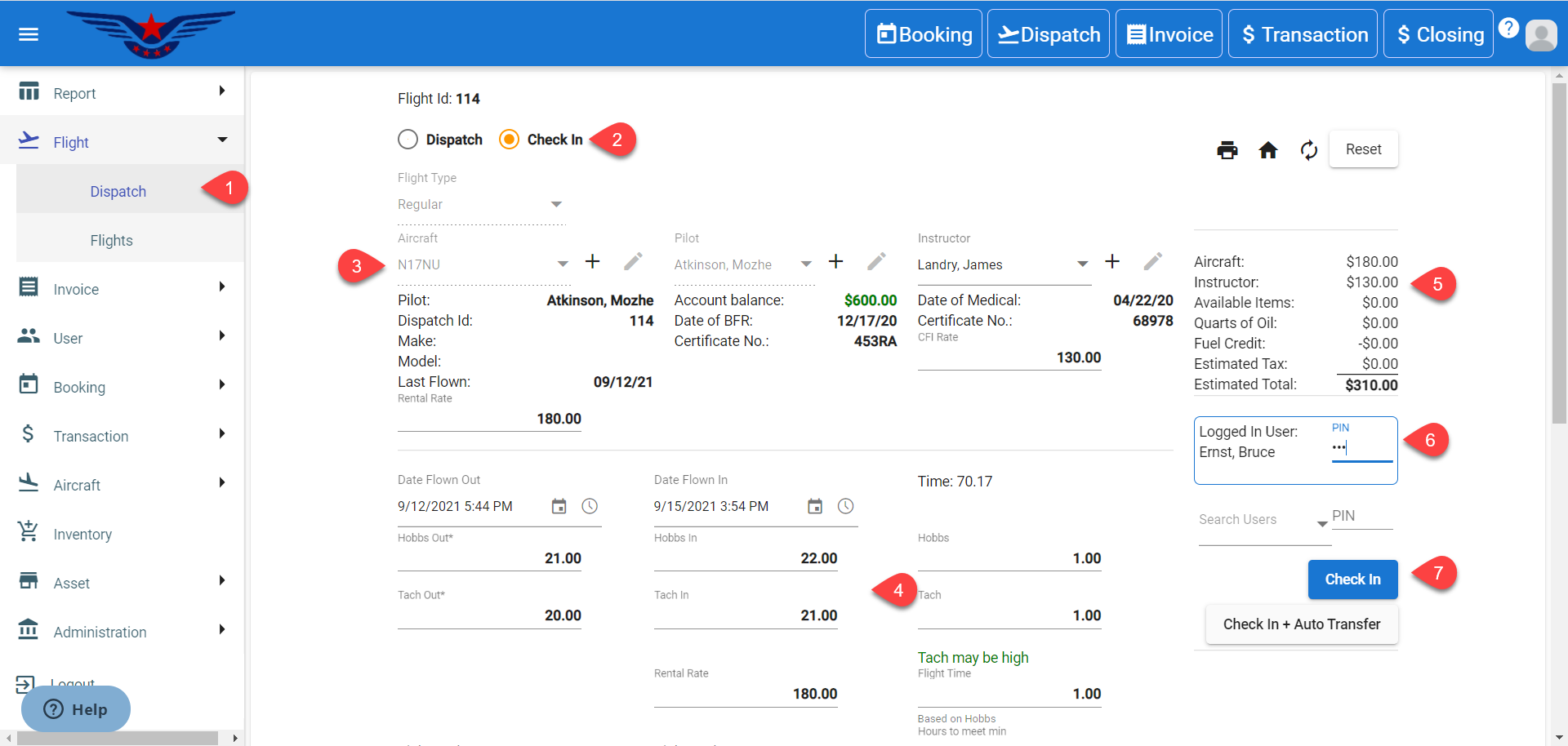
2. Click on the Check In radio button. By default, Dispatch radio button is selected.
3. Select a dispatched aircraft. All the existing information of the flight will be auto filled.
4. Enter the Hobbs In and Tach In.
5. Estimation column on the right side consists of various sub estimations.
a. Aircraft : Aircraft Estimation shows the Aircraft charges with respect to Rental Rate and Flight Time.
Aircraft Estimation = ( Flight Time + Hobbs are to meet min ) * Rental Rate
b. Instructor : Instructor Estimation shows the Instructor charges with respect to CFI Rate and Hours of Instruction. If the Instructor is not selected, then $0 will be displayed for Instructor Estimation.
Instructor Estimation = CFI Rate * Flight Time
c. Available Items : Available items are the pilot supplies which are added at the time of Check In and it is optional. If pilot supplies are added, then the amount will be charged. If the selected items have Tax on it, then the tax will be calculated from the given Tax percent and will be displayed in front of Estimated Tax.
d. Fuel Credits : If the Fuel Credit (amount) is entered at the time of Check In, that amount will be deducted from total estimation.
e. For Remaining Hours : This is calculated comparing the 'Hours to meet min' and 'Flight Time'.
If Hours to meet min > Flight Time
Then, Remaining Hours = Hours to meet min - Flight Time
The amount for Remaining Hours is calculated either on the basis of Percentage Criteria or Fixed Amount per Hour.
f. Estimated Total : It shows the grand total of the dispatched flight.
6. Enter the User's PIN.
7. Click on the Check In button to Check In the flight or Check In + Auto Transfer to Check In and pay at the same time.
Comments
0 comments
Please sign in to leave a comment.