
If not signed in, kindly sign in into FBO Master.
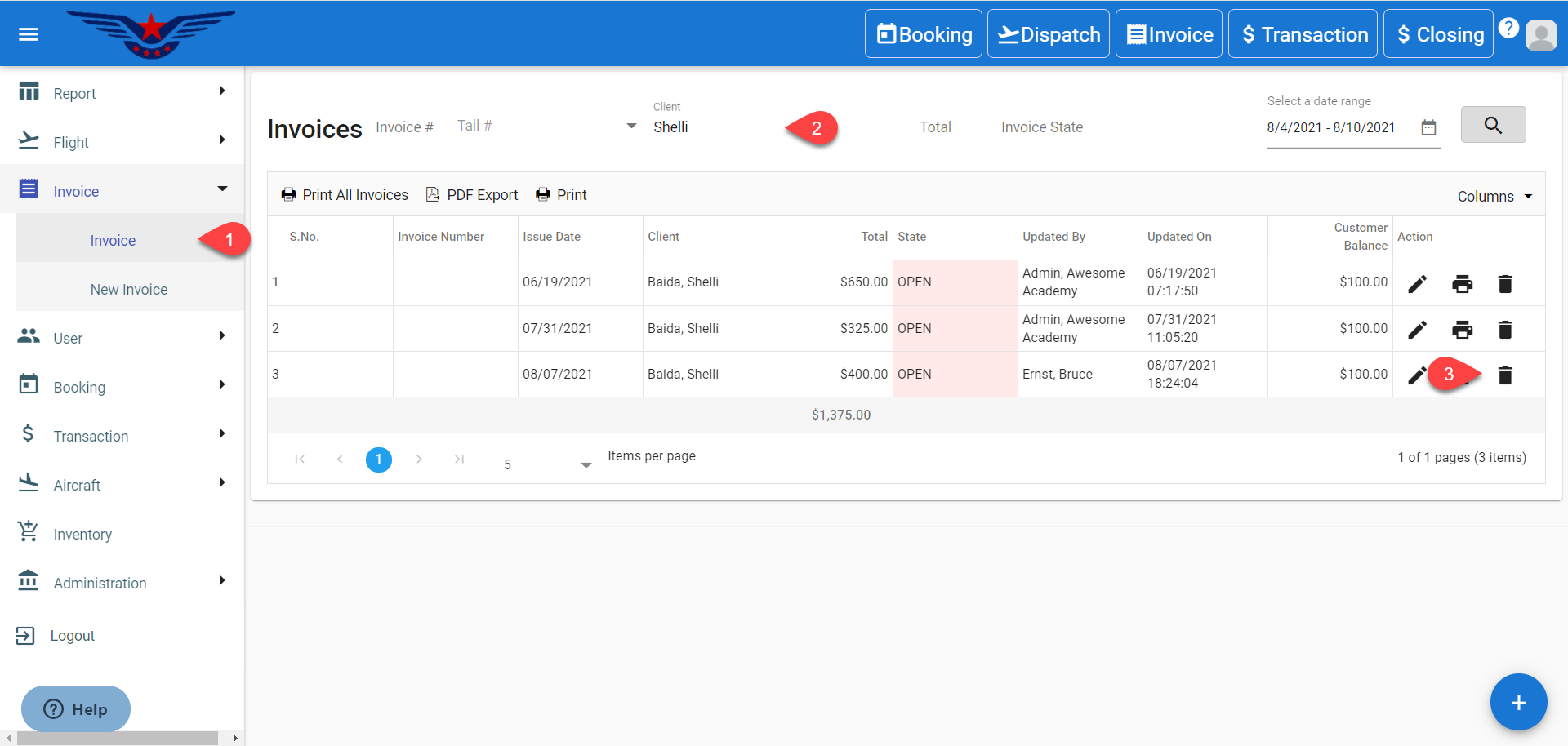
1. Click on the hamburger icon on the top left corner of the navigation bar. Select Invoice main menu. Click on Invoice sub menu.
2. Either navigate the whole list or search in the list with custom filters.
3. Click on the Bin icon corresponding to searched Invoice.
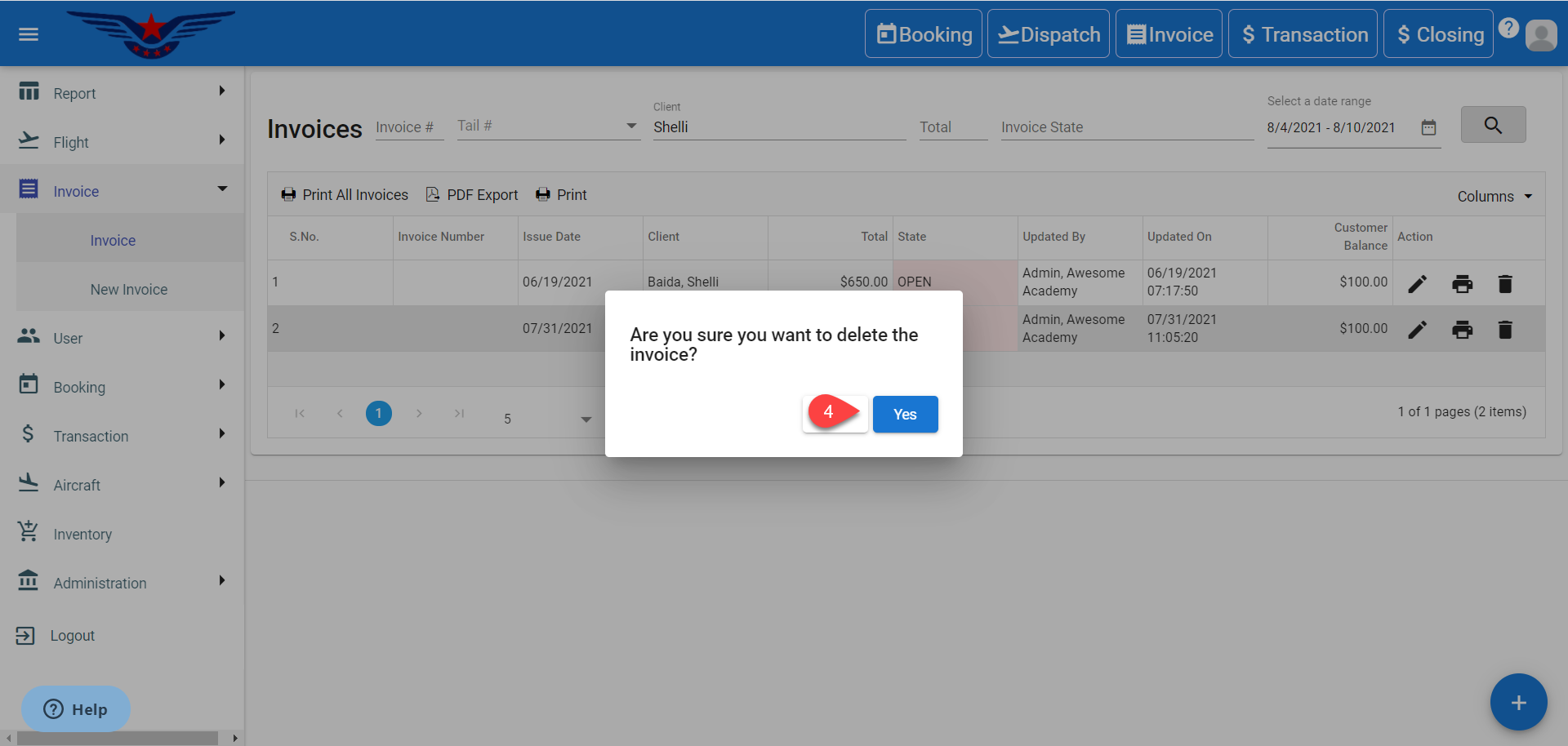
4. A message box will pop confirming deletion of invoice. Click on Yes button.
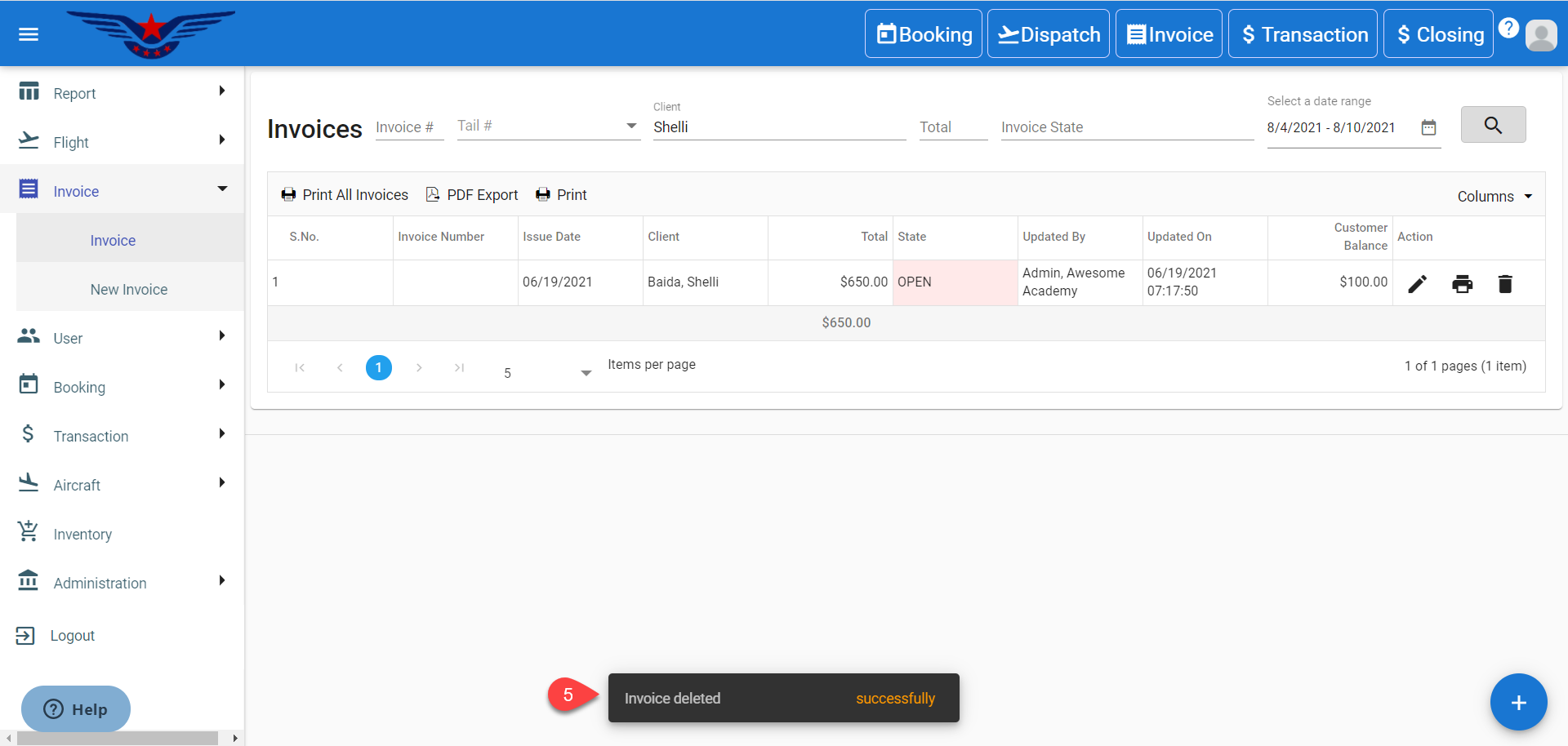
5. A success message will be displayed.
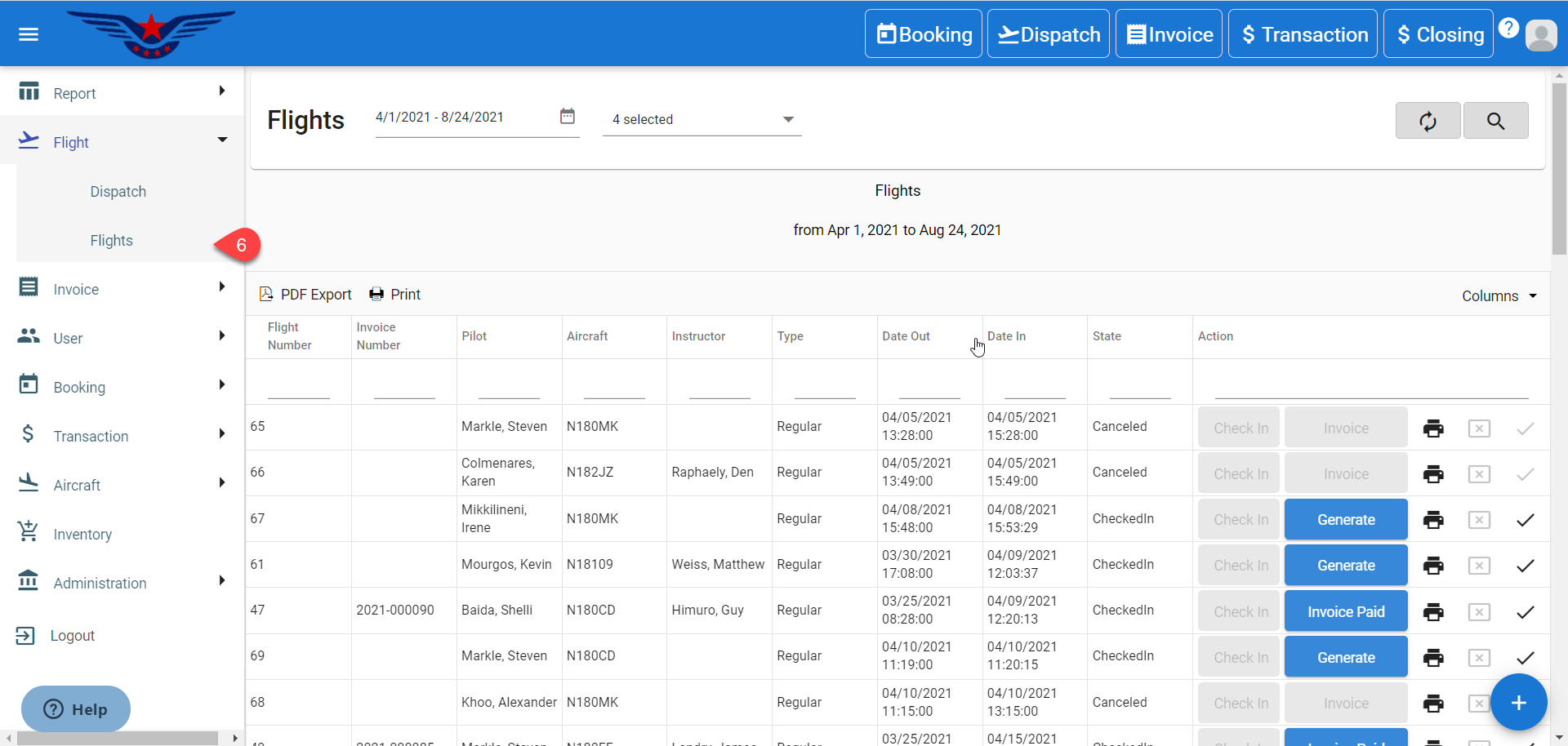
6. Click on the Flight main menu on side navigation bar. Click on Flights sub menu.
OR
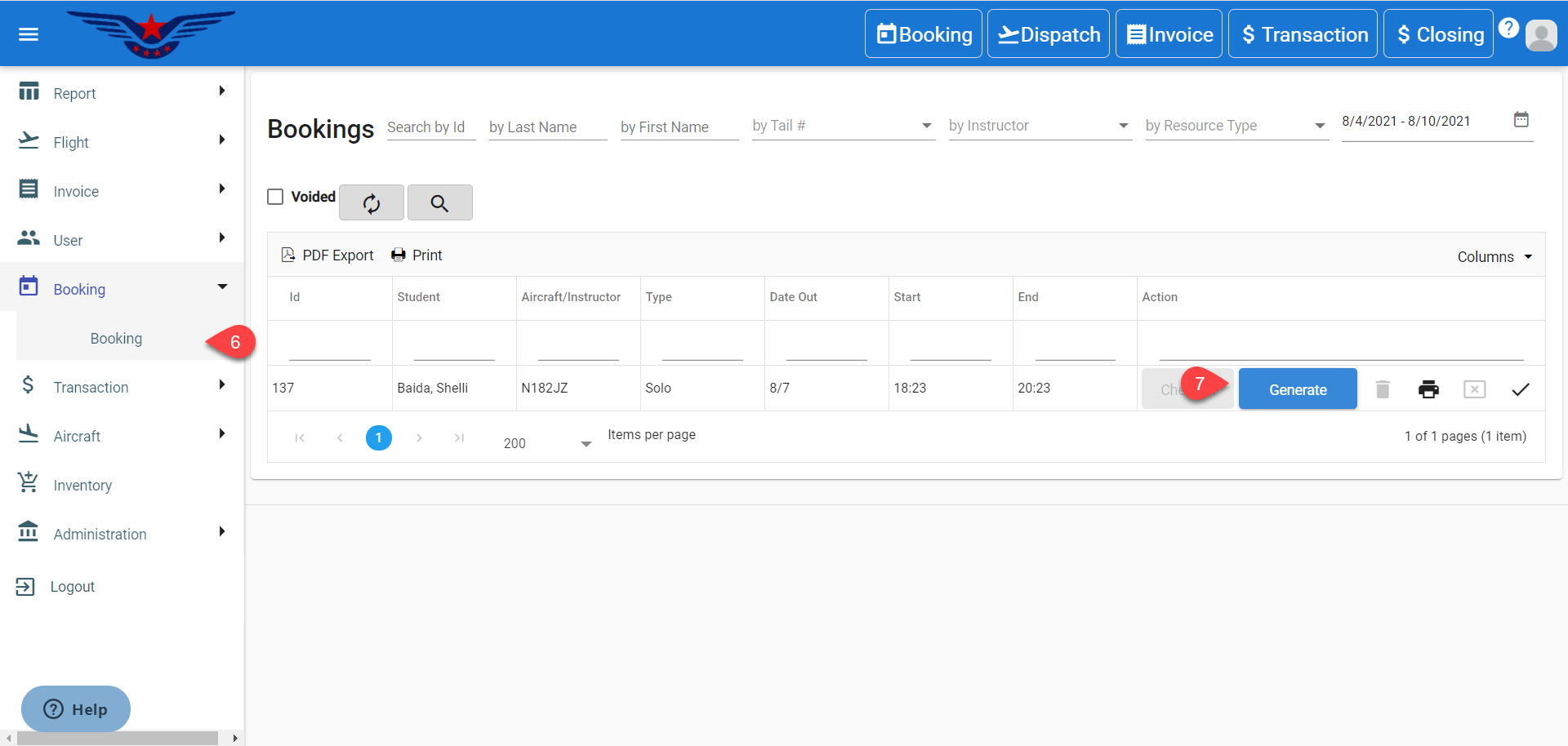
Click on the Booking main menu on side navigation bar. Click on Booking sub menu.
7. Click on the Generate button under the Action column in the Booking list.
8. Invoice sheet will be displayed. Select a User from Select User drop down list.
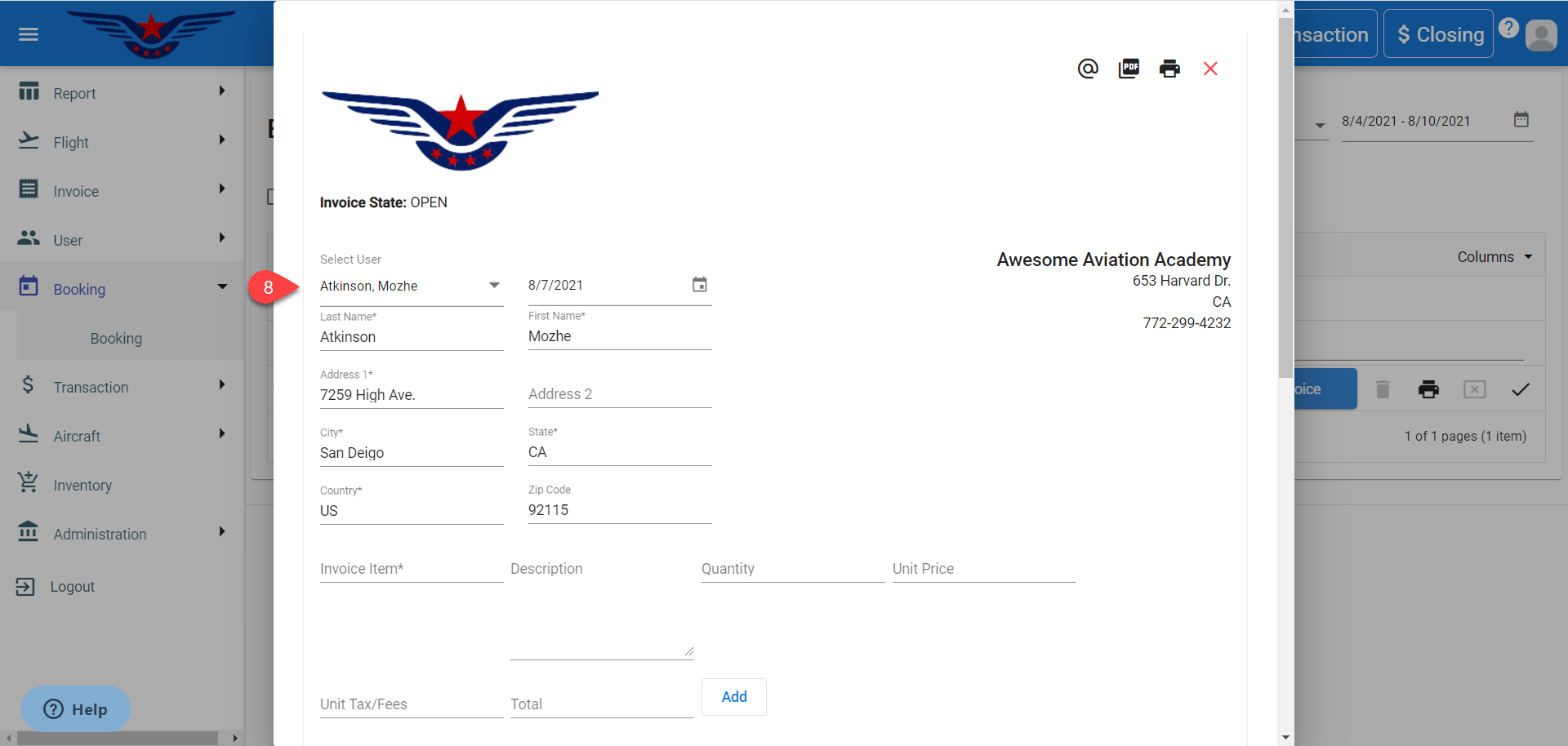
9. Invoice can be now saved, issued or paid.
Comments
0 comments
Please sign in to leave a comment.