
If not signed in, kindly sign in into FBO Master.
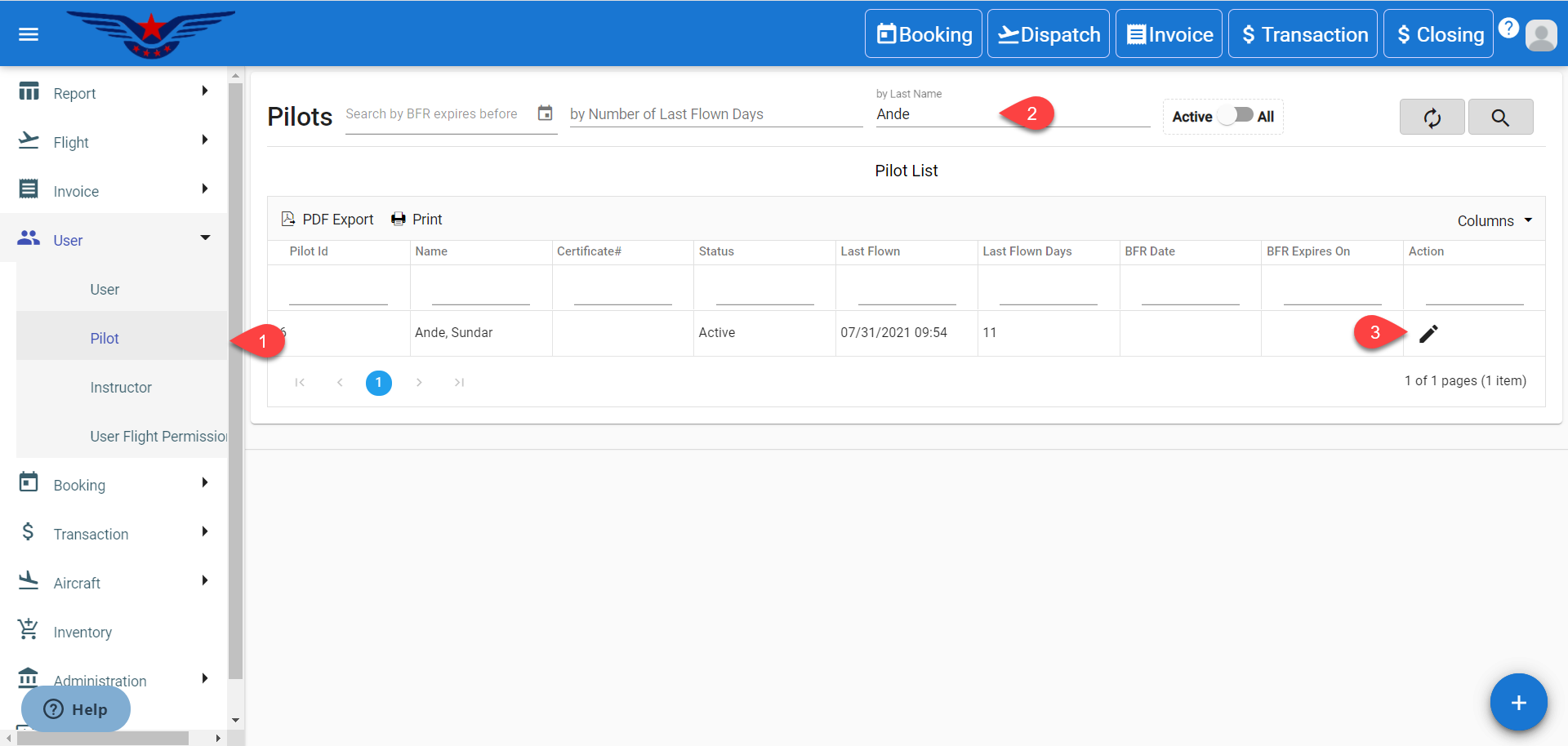
- Click on the hamburger icon on the top left corner on the navigation bar. Select the User main menu. Click on the Pilot sub main menu.
- Pilot list will be displayed. Either navigate the list or search by BFR expires before, Number of last flown days, Name, Active/Inactive status, Last flown or Last flown days to get to any particular user with ease.
- Click on the Pen icon under the Action column of the list.
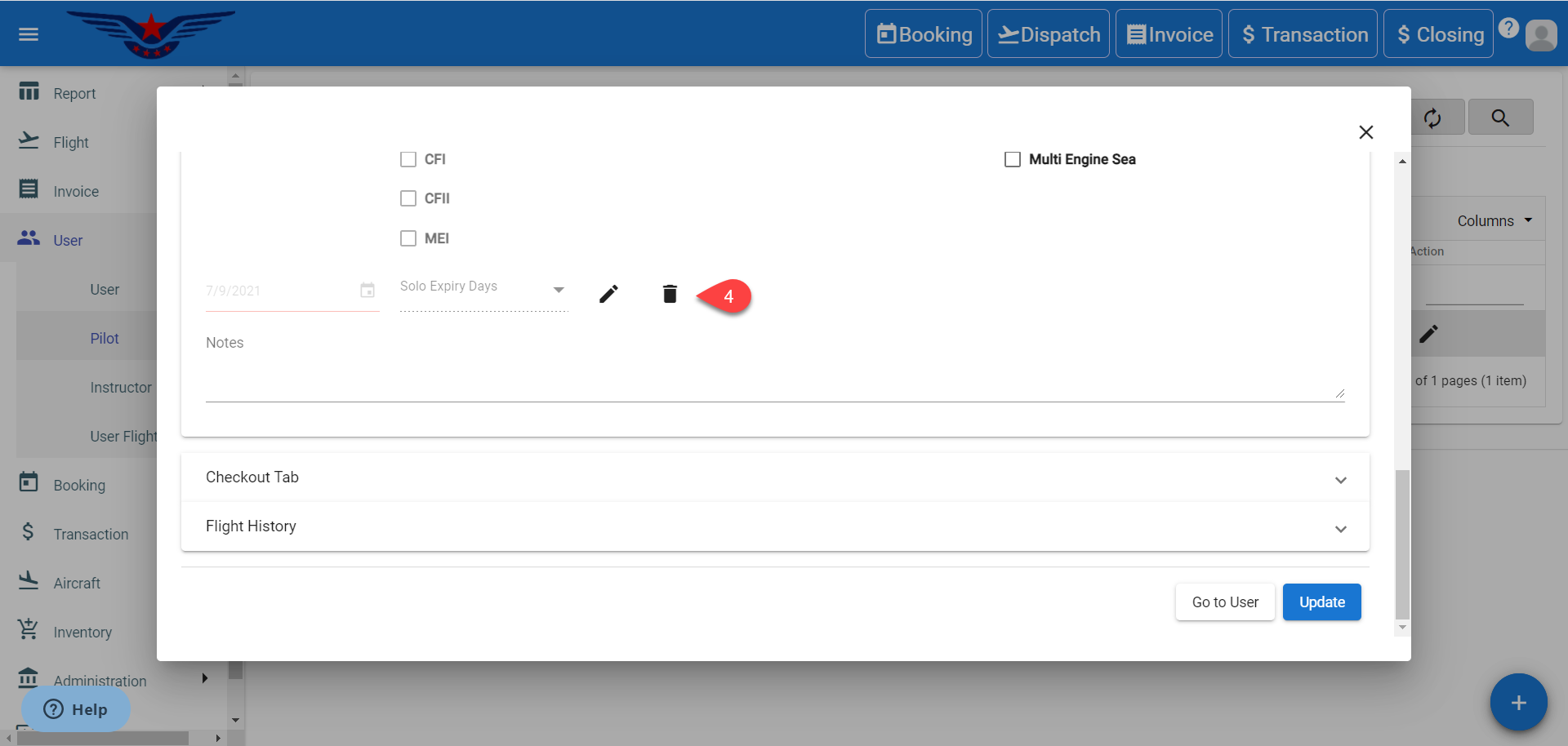
- Pilot's information sheet will be displayed. Click on the Bin icon near Solo Expiry Days drop down to delete solo expiry date.
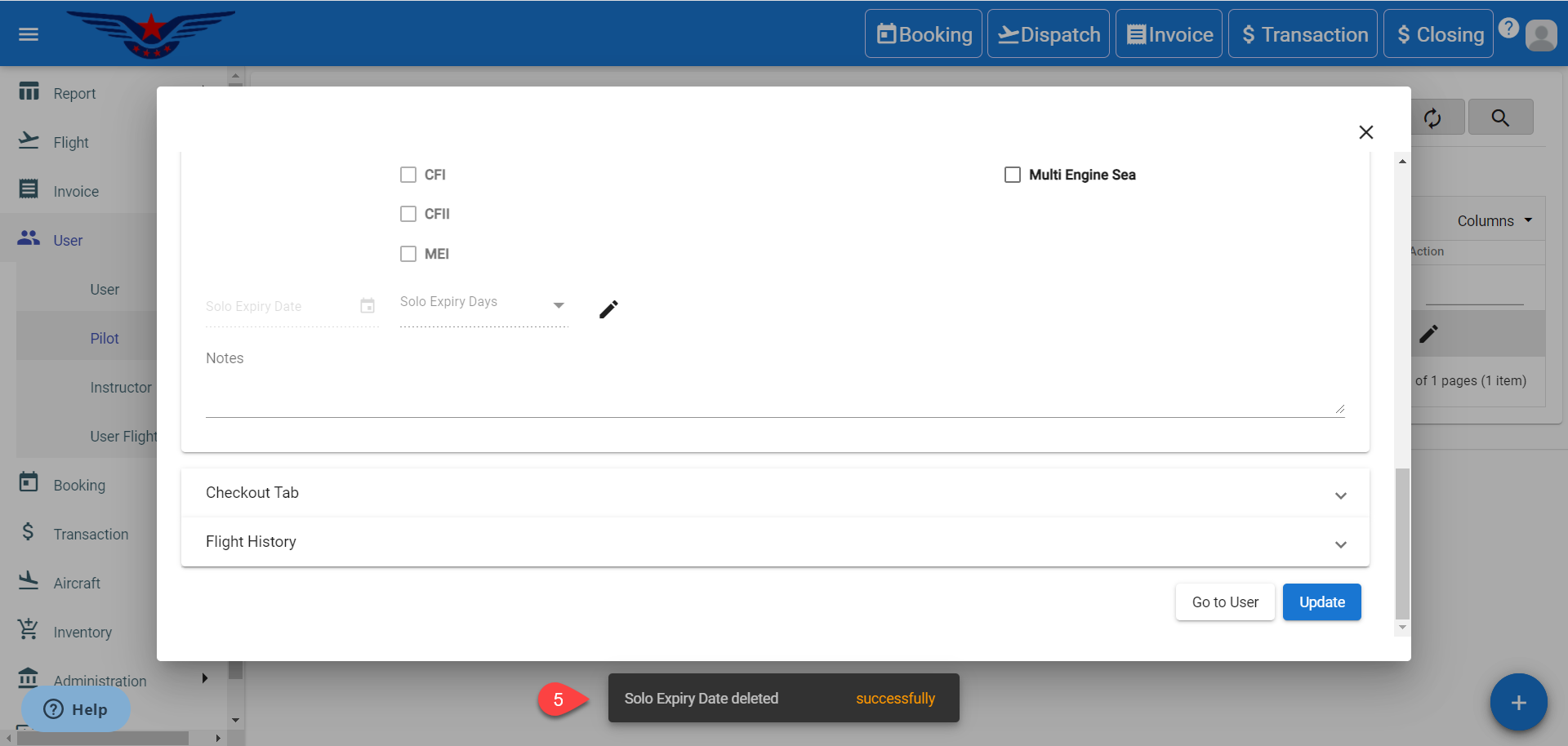
- A success message will be displayed.
Comments
0 comments
Please sign in to leave a comment.