
If not signed in, kindly sign in into FBO Master.
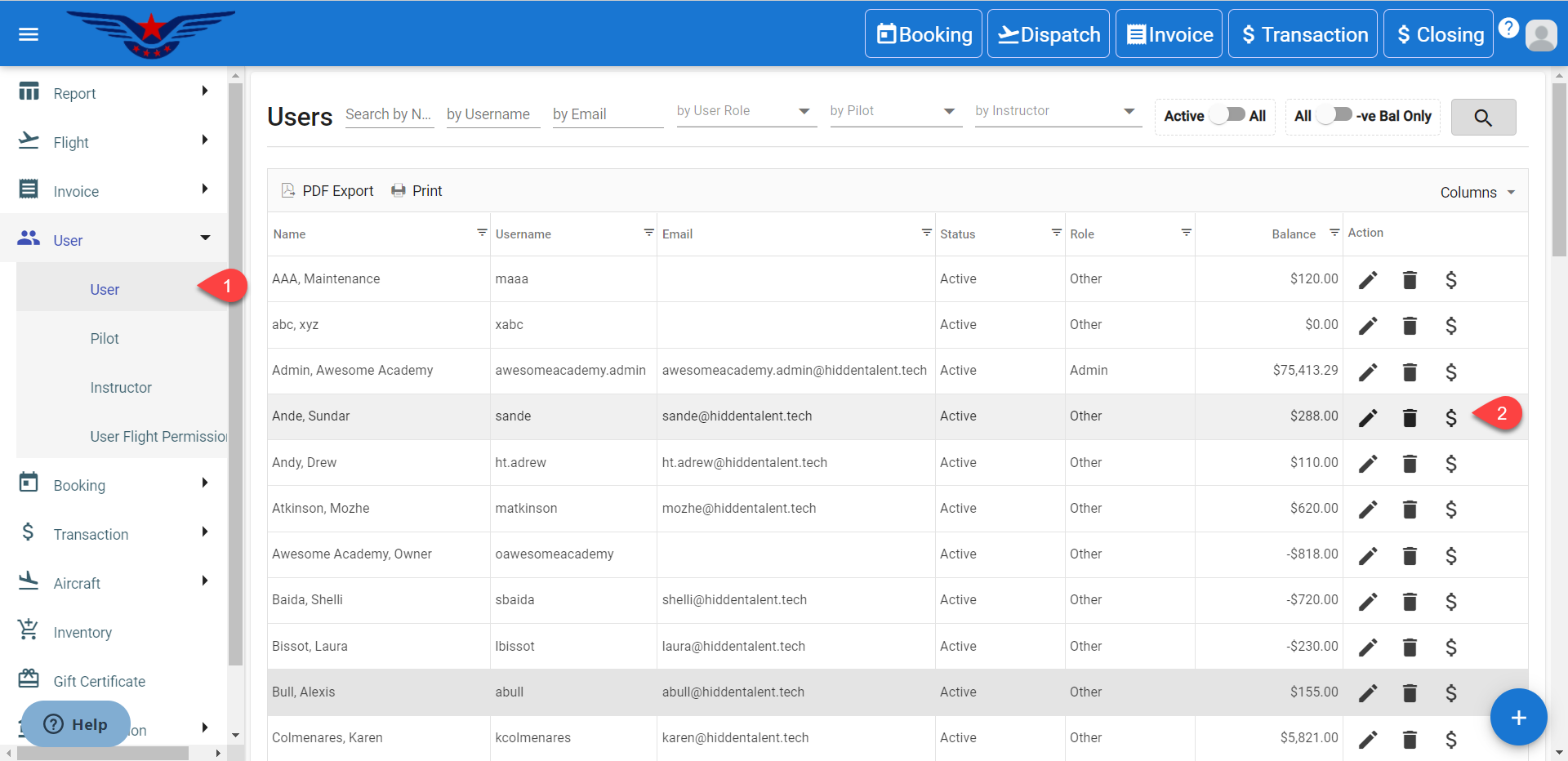
- Click on the hamburger icon on the top left corner of the navigation bar. Select User main menu. Click on the User sub menu.
- User list will be displayed. Click on the $ icon under the Action column for the respective customer who's account recharge is to be done.
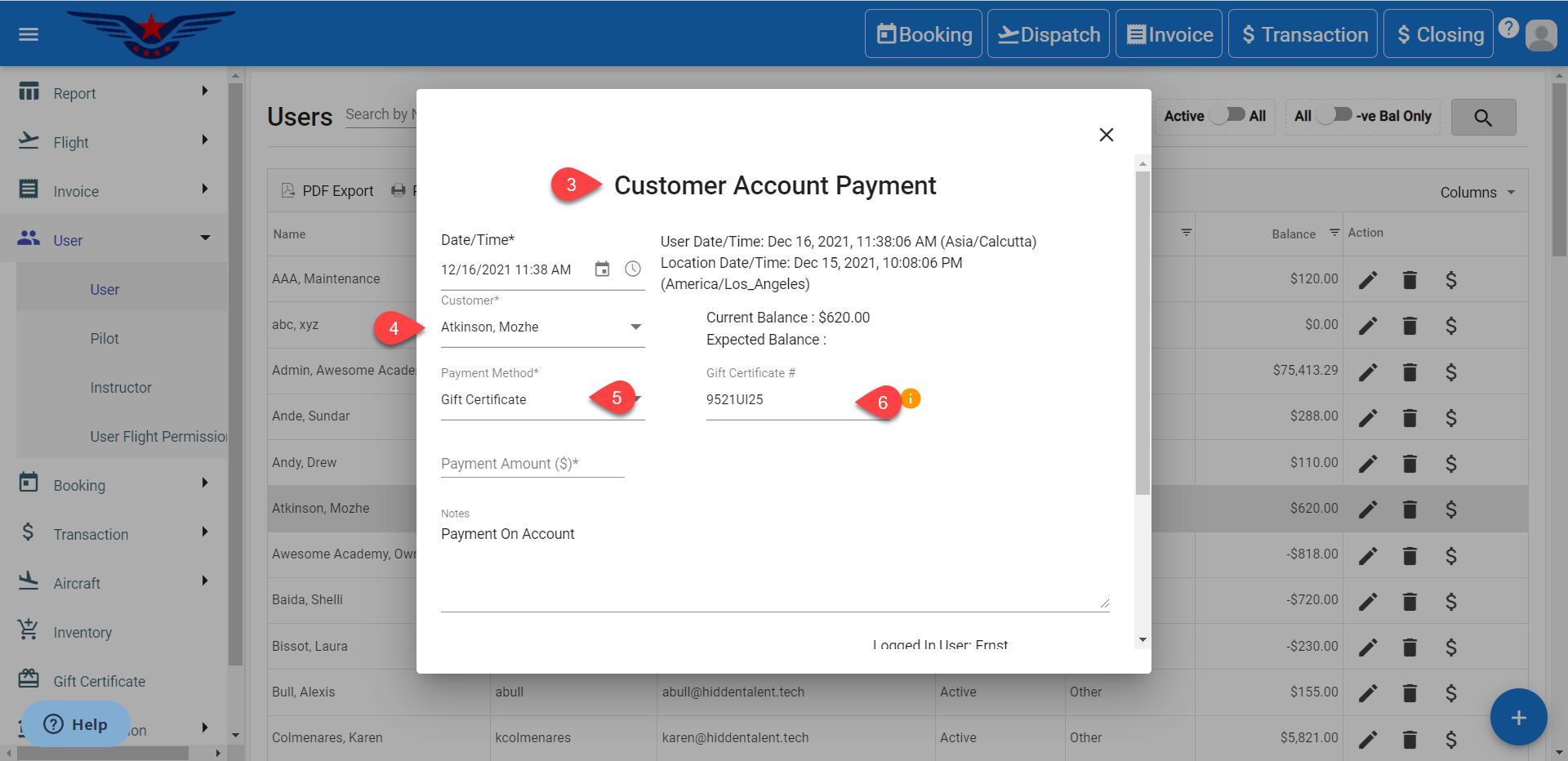
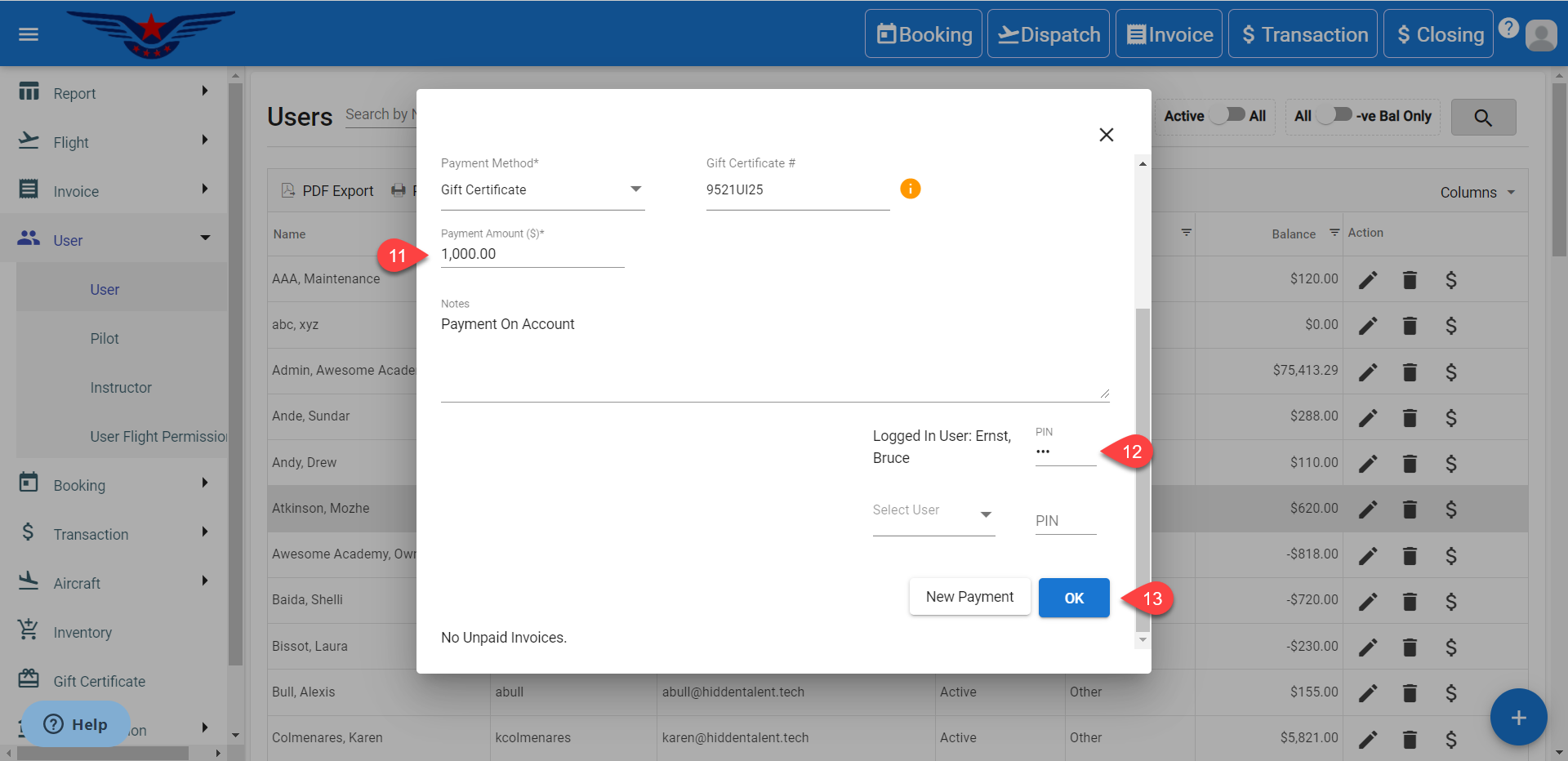
- A sheet to do customer account payment will be displayed.
- The Customer will be auto selected.
- Select the Gift Certificate from Payment Method drop down list. Gift Certificate# will be enabled.
- Enter the Gift Certificate#. If the Gift Certificate number exists, it will be displayed in the drop down list. If the Gift Certificate number does not exist, a sheet to create gift certificate will be displayed.
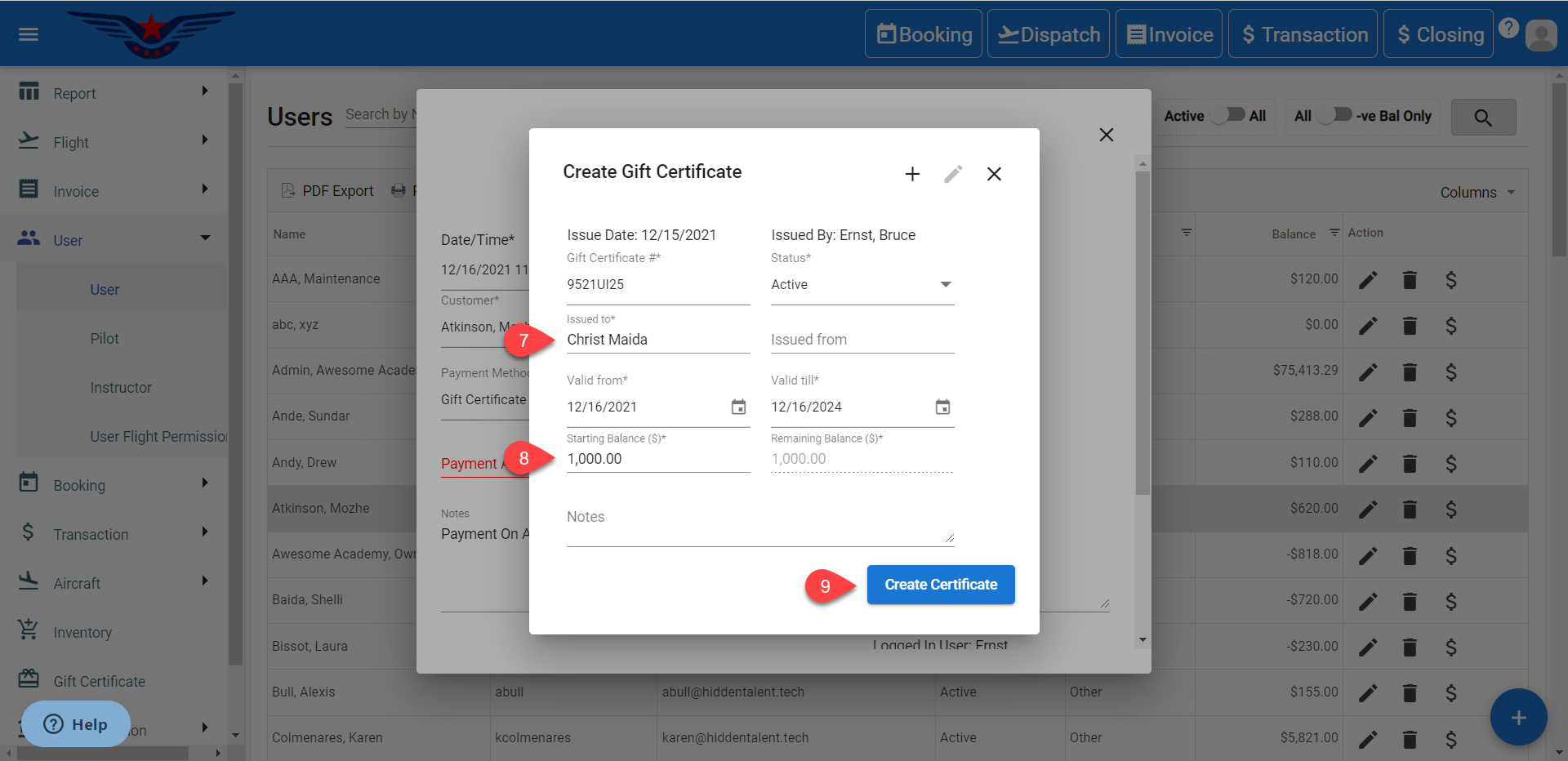
- Enter the name in Issued To field.
- Enter the Starting Balance($). The Remaining Balance($) will be auto filled accordingly.
- Click on Create Certificate button.
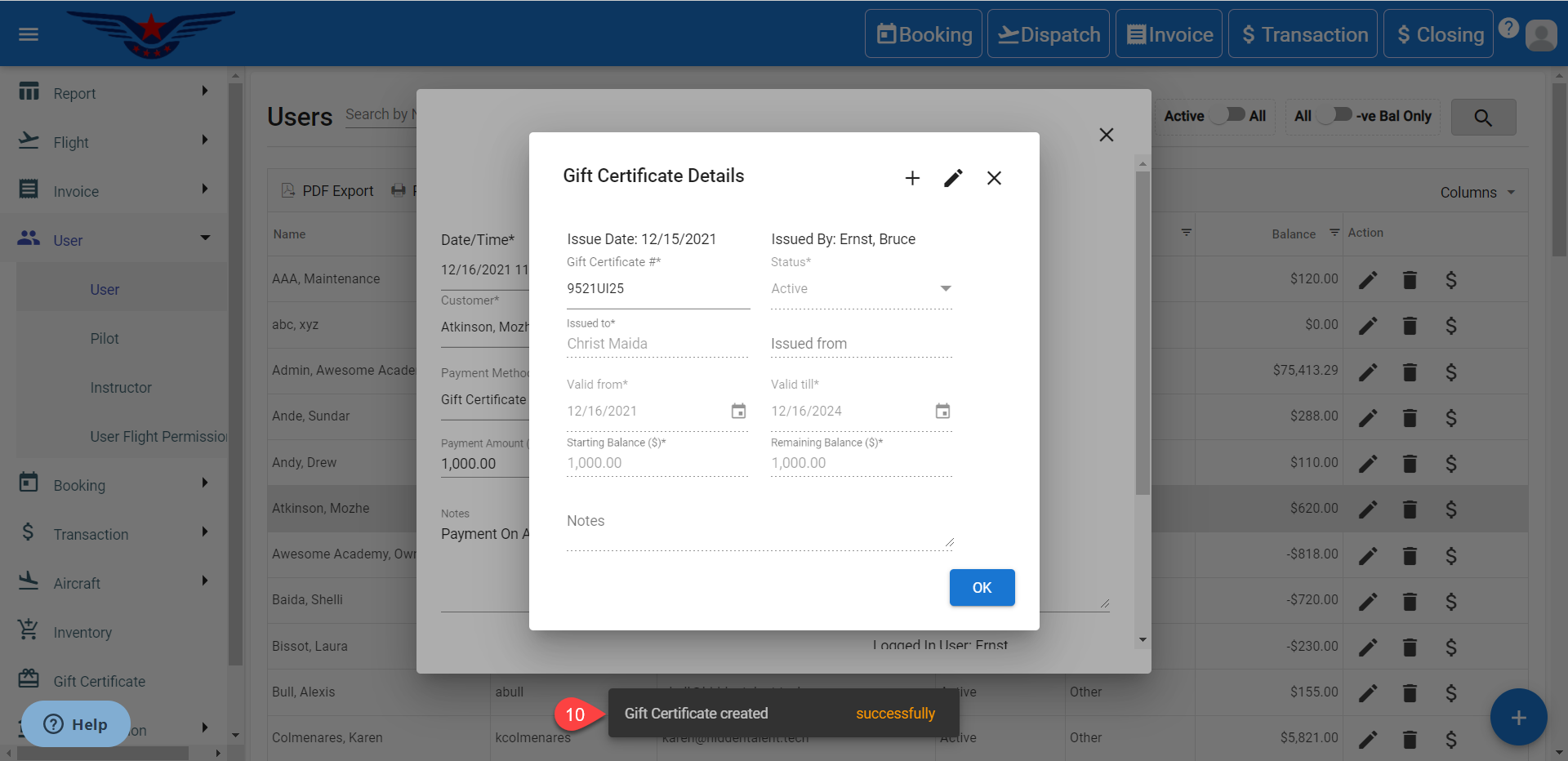
- A success message for certificate creation will be displayed.
- The Payment Amount will be auto filled.
- Enter the User's PIN.
- Click on the OK button.
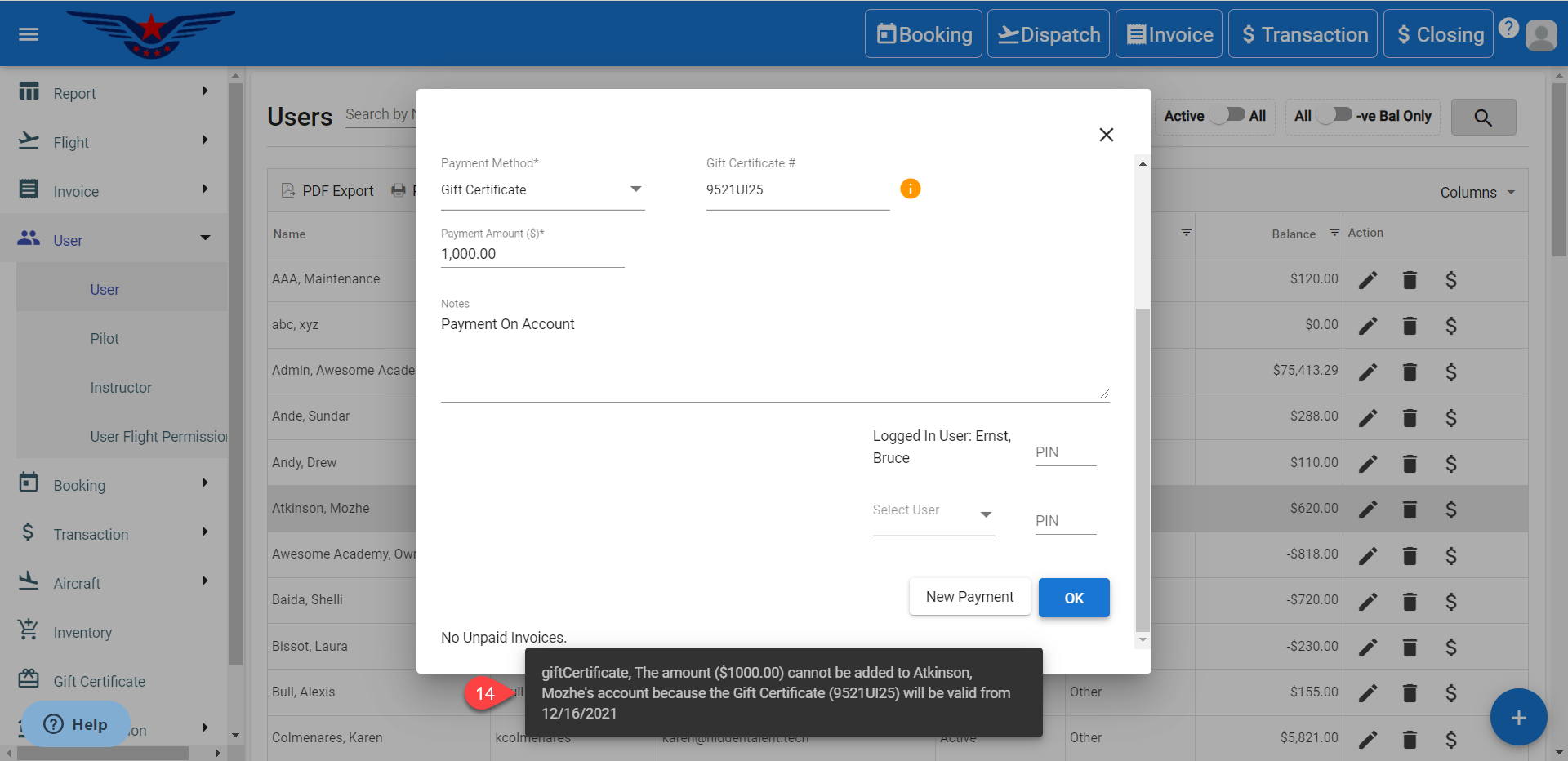
- A success message will be displayed.
Comments
0 comments
Please sign in to leave a comment.