
Share Leaseback Report through email from Single Leaseback.
If not signed in, kindly sign in into FBO Master.
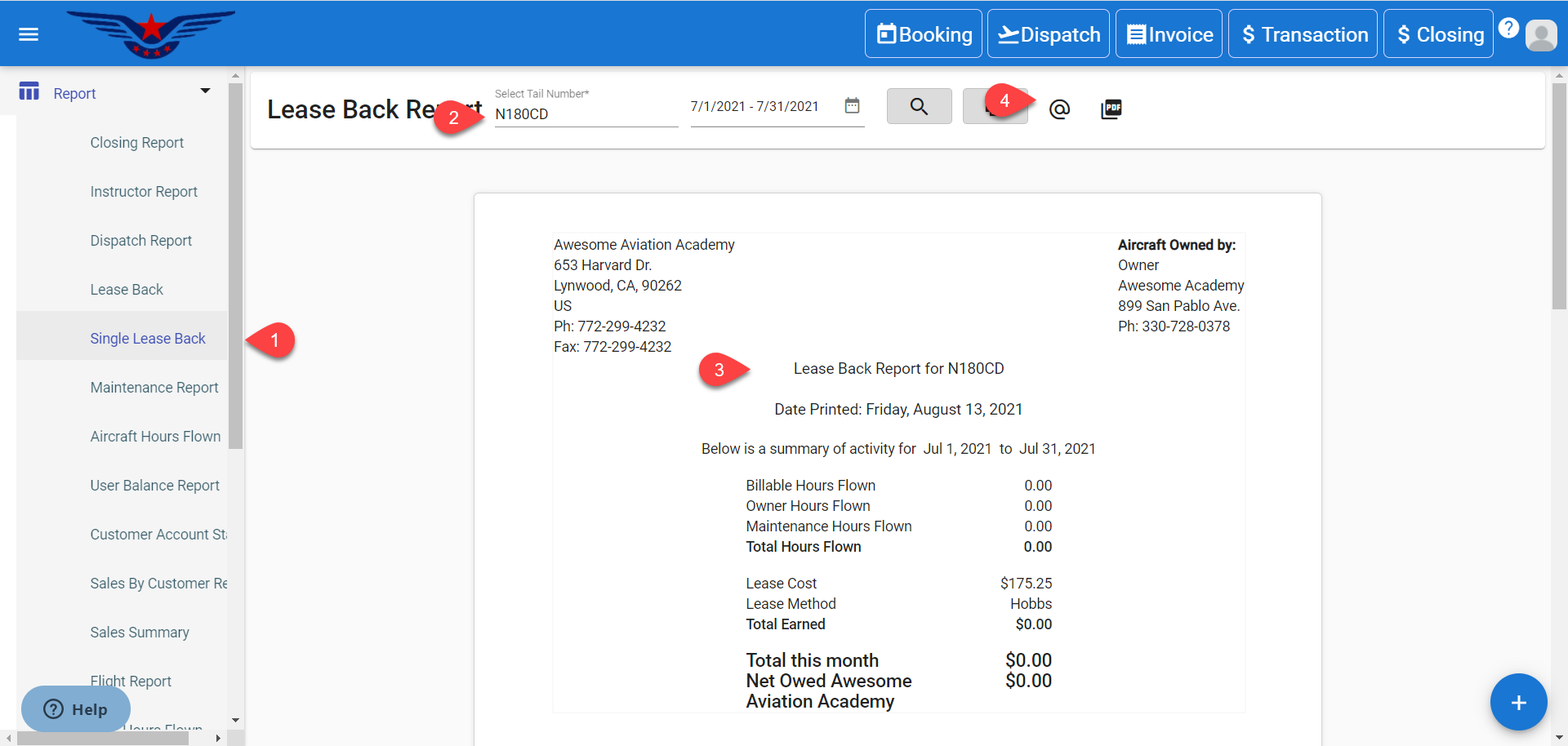
1. Click on the hamburger icon on the top left corner of the navigation bar. Select Report main menu. Click on Single Lease Back sub menu.
2. Lease Back Report will be displayed. Select the Tail Number from Tail Number drop-down list. Click on Search icon.
3. Leaseback Report for the respective Tail Number will be displayed.
4. Click on the @ icon to share the Leaseback Report through email.
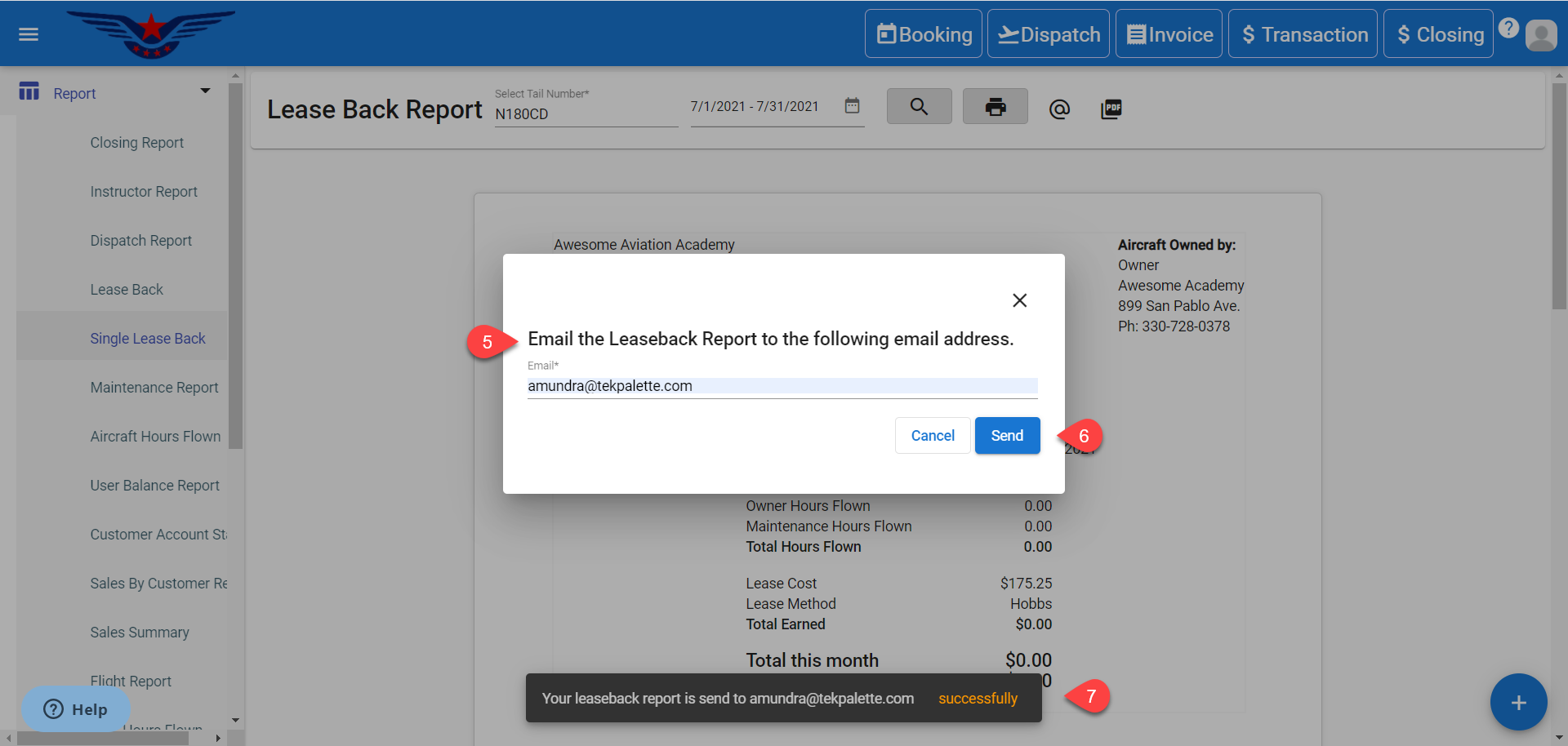
5. A sheet will be displayed asking for the email to which the Leaseback report is to be shared. Enter the Email Address.
6. Click on the Send button.
7. A success message will be displayed.
Share Leaseback Report through email from Leaseback.
If not signed in, kindly sign in into FBO Master.
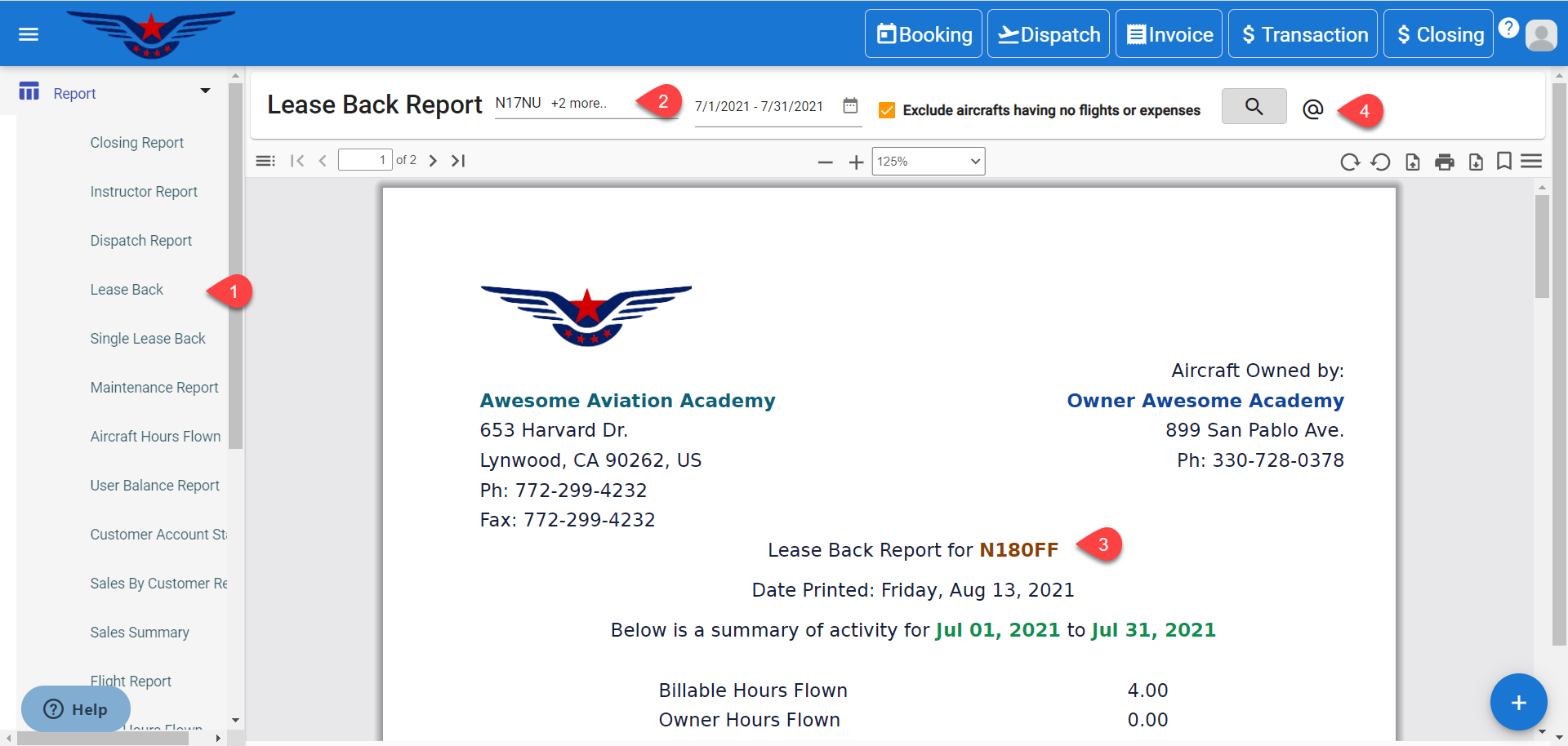
1. Click on the hamburger icon on the top left corner of the navigation bar. Select Report main menu. Click on Lease Back sub menu.
2. Lease Back Report will be displayed. Select the Tail Number from Tail Number drop-down list (multiple tail numbers can be selected). Click on Search icon.
3. Leaseback Report for the respective Tail Number will be displayed.
4. Click on the @ icon to share the Leaseback Report through email.
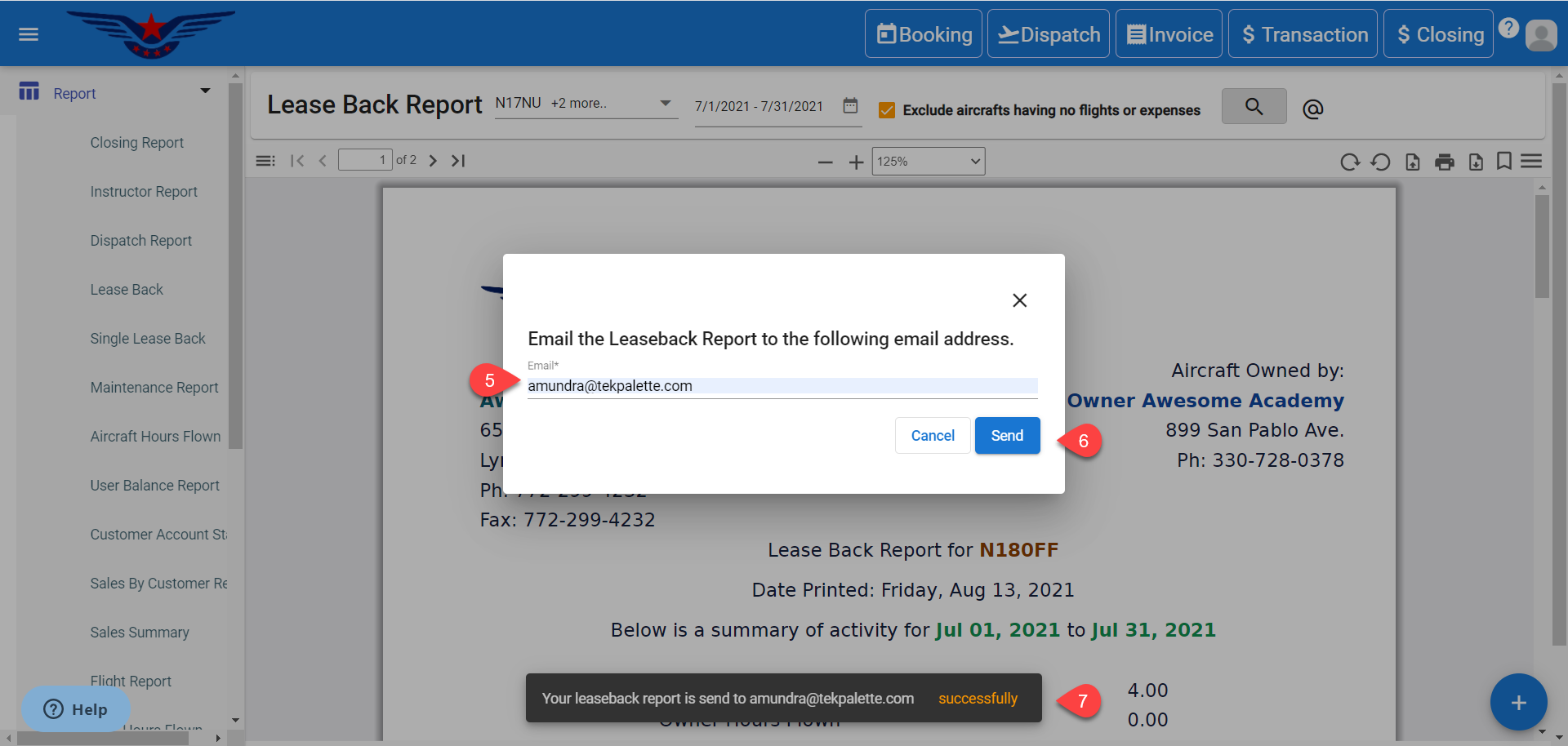
5. A sheet will be displayed asking for the email to which the Leaseback report is to be shared. Enter the Email Address.
6. Click on the Send button.
7. A success message will be displayed.
Comments
0 comments
Please sign in to leave a comment.