
If not signed in, kindly sign in into FBO Master.
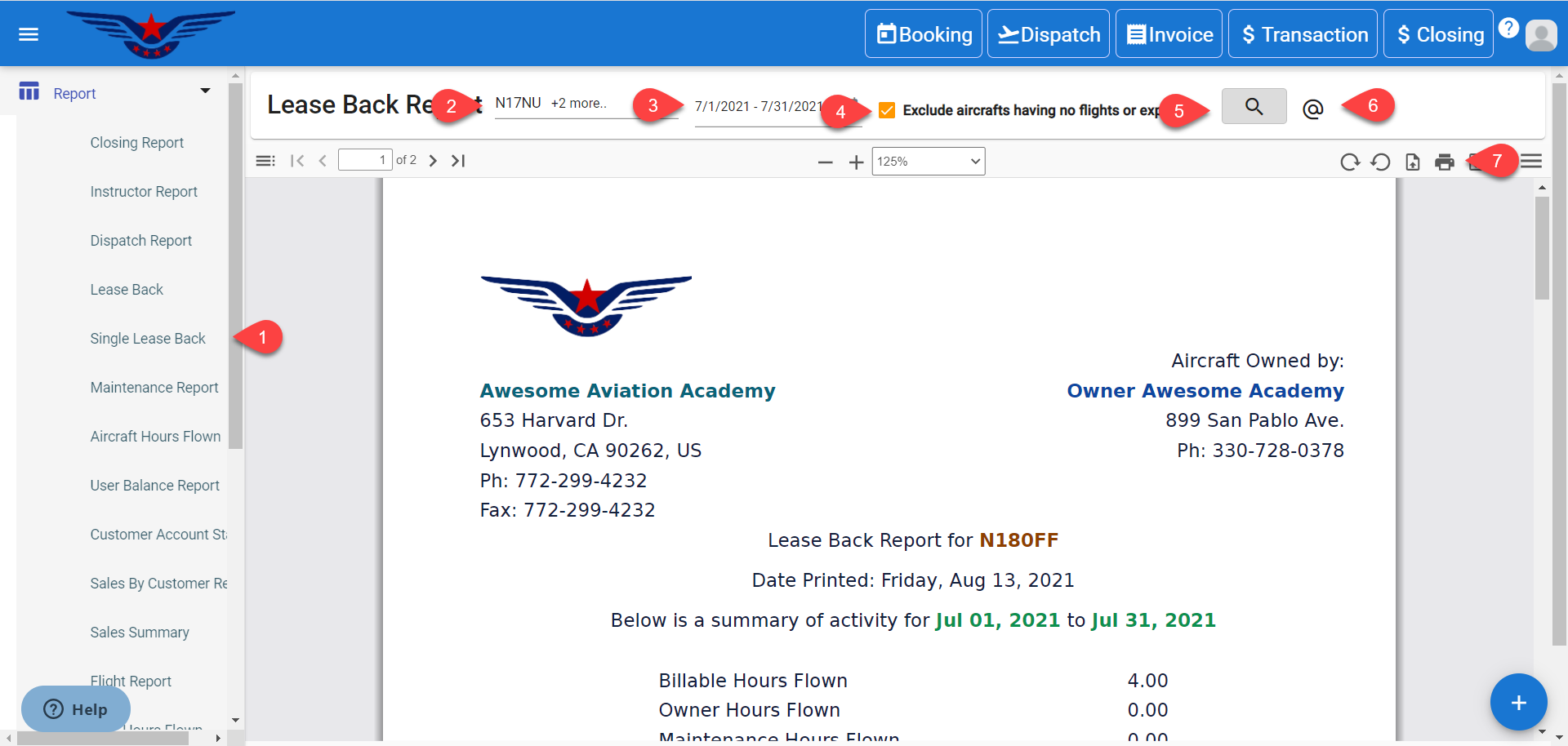
- Click on the hamburger icon on the top left corner of the navigation bar. Select Report main menu. Click on Lease Back sub menu.
- Lease Back Report will be displayed. Select the Tail Number from Tail Number drop-down list.
- The Date Range is auto-set. It can be changed.
- If you would like to exclude aircraft that do not have any flights or expenses in the selected period, then choose the Exclude aircraft having no flights or expenses checkbox.
- Click on the Search icon.
- Click on @ icon to send the Leaseback Report through email.
- Click on the Print icon to print the report.
Comments
0 comments
Please sign in to leave a comment.