
If not signed in, kindly sign in into FBO Master.
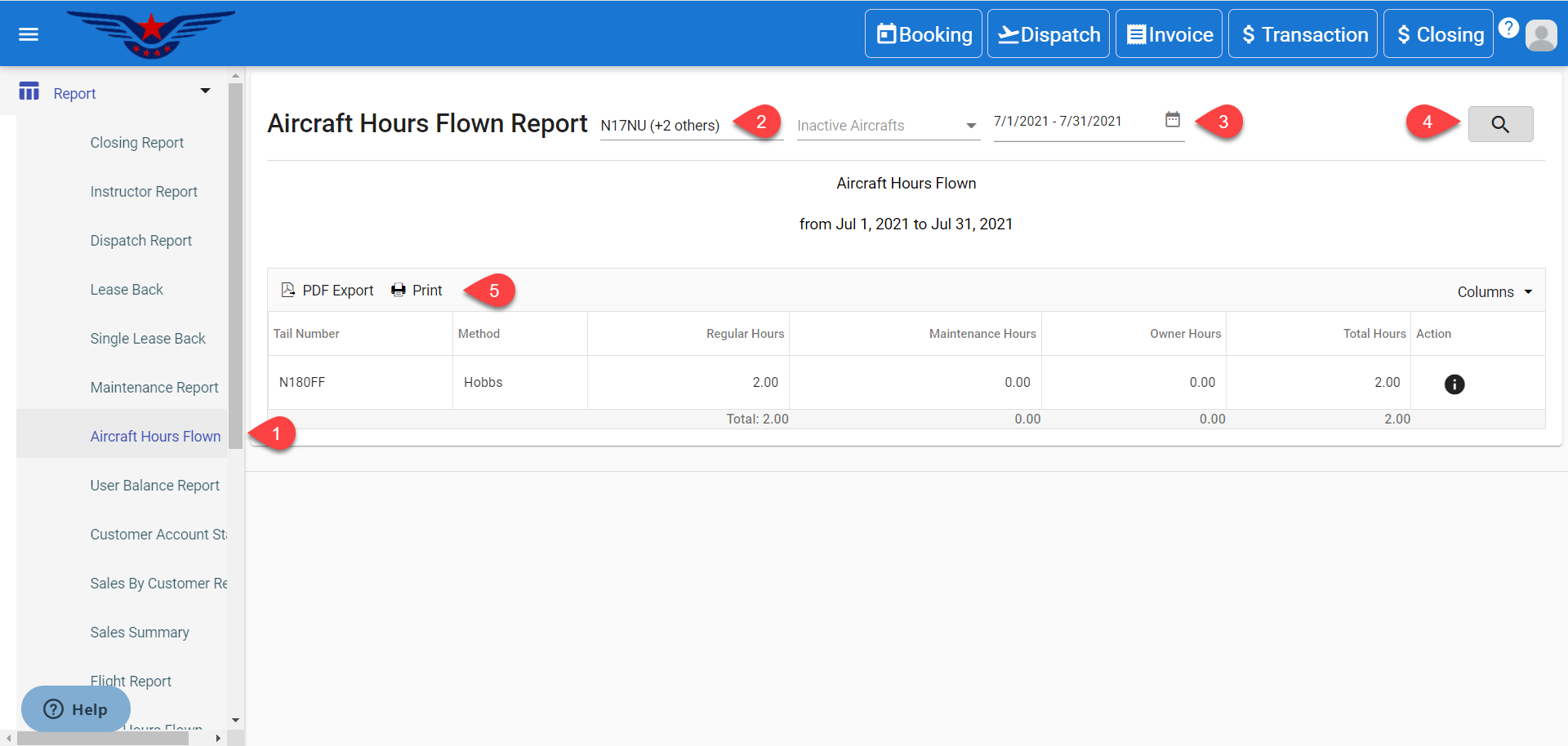
- Click on the hamburger icon on the top left corner of the navigation bar. Select Report main menu. Click on the Aircraft Flown Hours sub menu.
- Aircraft Flown Hours Report will be displayed. Select an Active/ Inactive Aircraft from Active/ Inactive Aircraft drop down list.
- Select the Date Range for which User Balance Report is to be viewed. Click on Search button.
- Click on the Print to print the report and PDF Export to export the report in PDF form.
- Select the Column(s) which is to be viewed from Column drop down list.
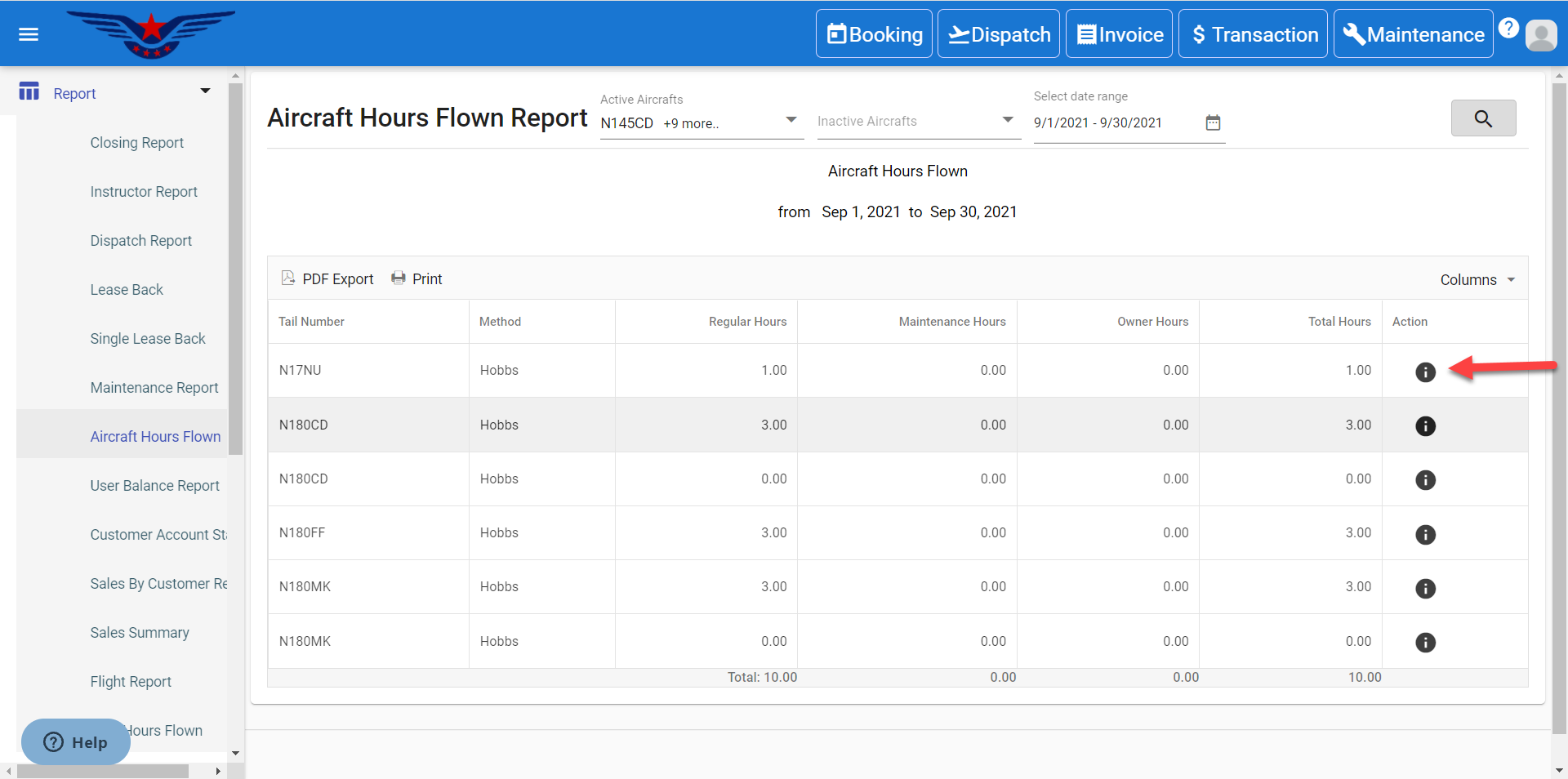
- To view report of a particular aircraft, click on the i icon under the Action column corresponding to desired aircraft.
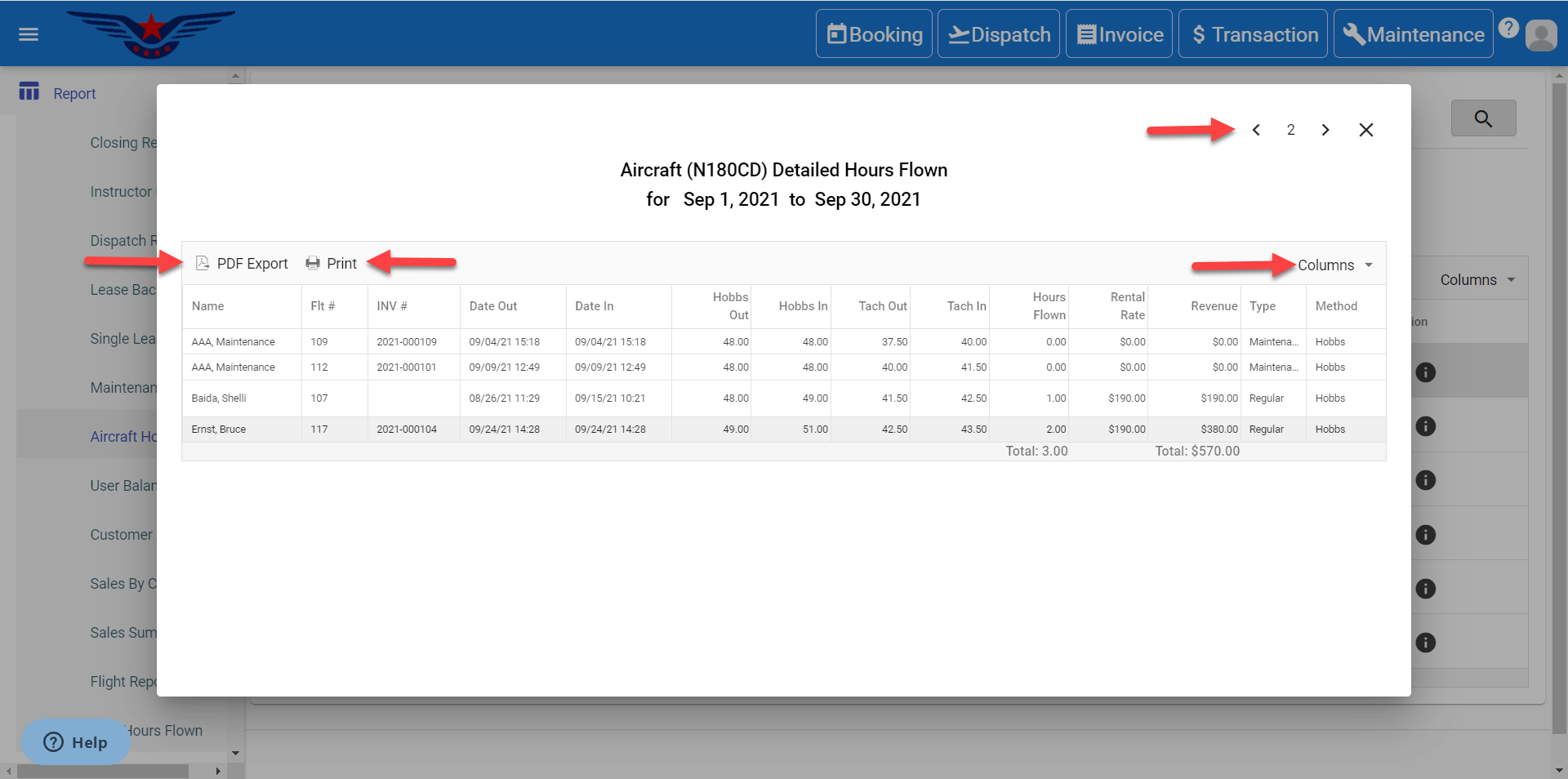
- The Aircraft's Detailed Hours Flown report will be displayed. The report can be printed. PDF Export can also be done. List can be customized with desired columns as well. To navigate through other aircraft's information, click on <, > icons.
Comments
0 comments
Please sign in to leave a comment.