
If not signed in, kindly sign in into FBO Master.
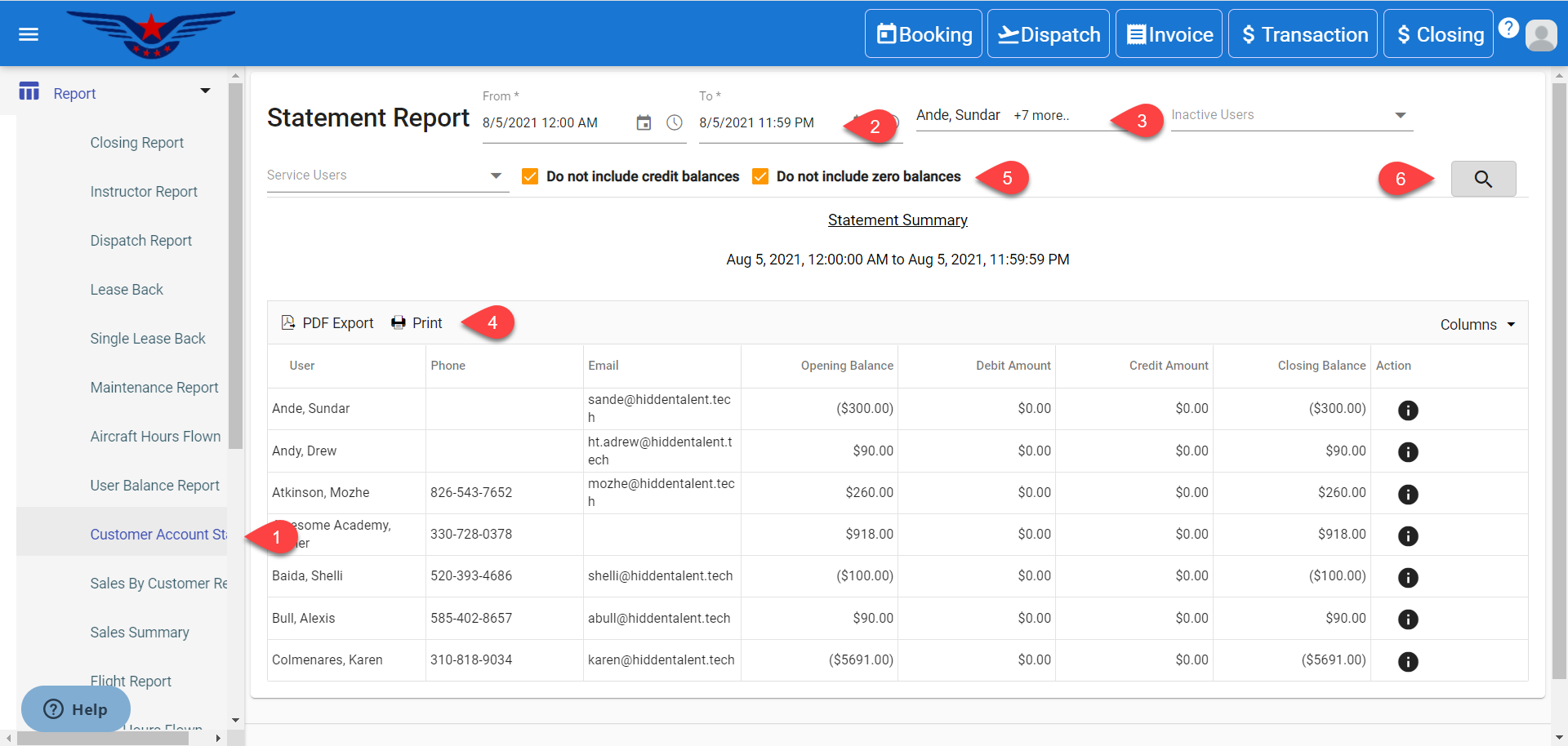
- Click on the hamburger icon on the top left corner of the navigation bar. Select Report main menu. Click on the Customer Account Statement sub menu.
- Statement Report will be displayed. Date Range is auto set. Select the Date Range for which report is to be viewed.
- Select Active/ Inactive User from Active/ Inactive User drop down list (optional). Click on Search button.
- Click on the Print to print the report and PDF Export to export the report in PDF form.
- Click on the checkboxes to exclude credit balances and zero balances.
- Select the Column(s) which is to be viewed from Column drop down list.
Comments
0 comments
Please sign in to leave a comment.