
If not signed in, kindly sign in into FBO Master.
Note: Only ISSUED invoices can be paid through gift certificate.
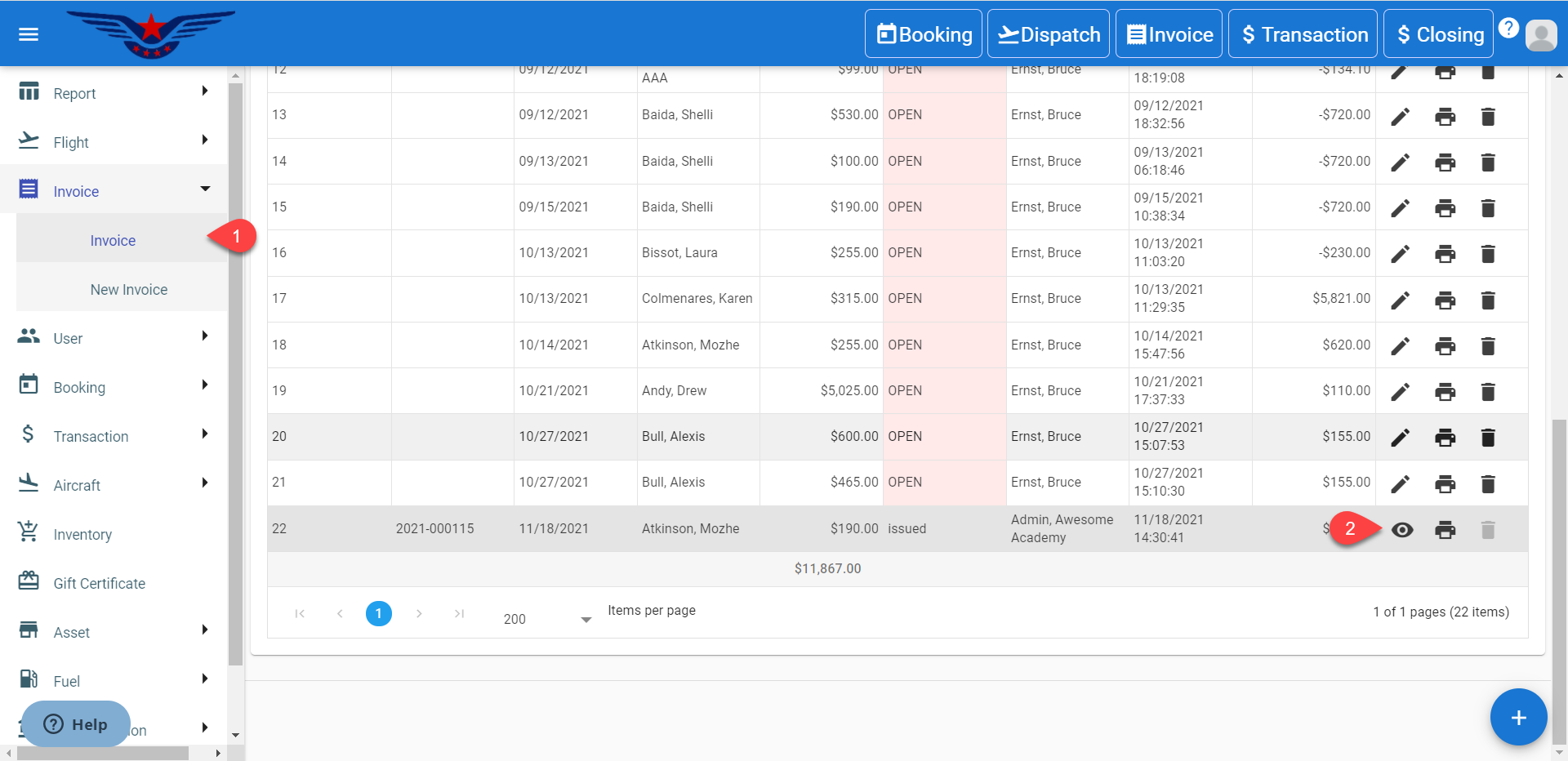
- Click on the hamburger icon on the top left corner of the navigation bar. Select Invoice main menu. Click on the Invoice sub menu.
- Invoice list will be displayed. Search in the list for desired Invoice and click on the Eye icon.
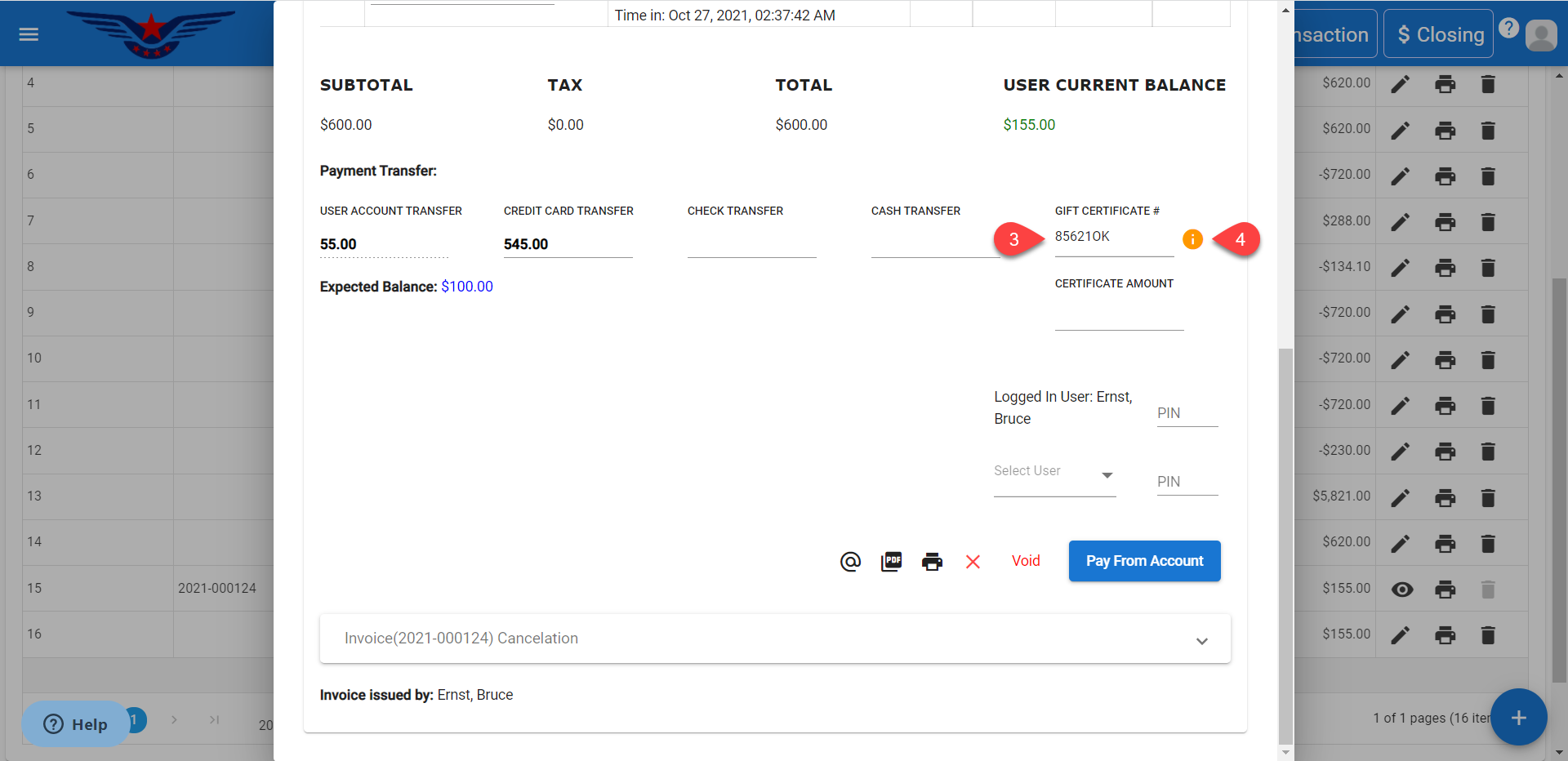
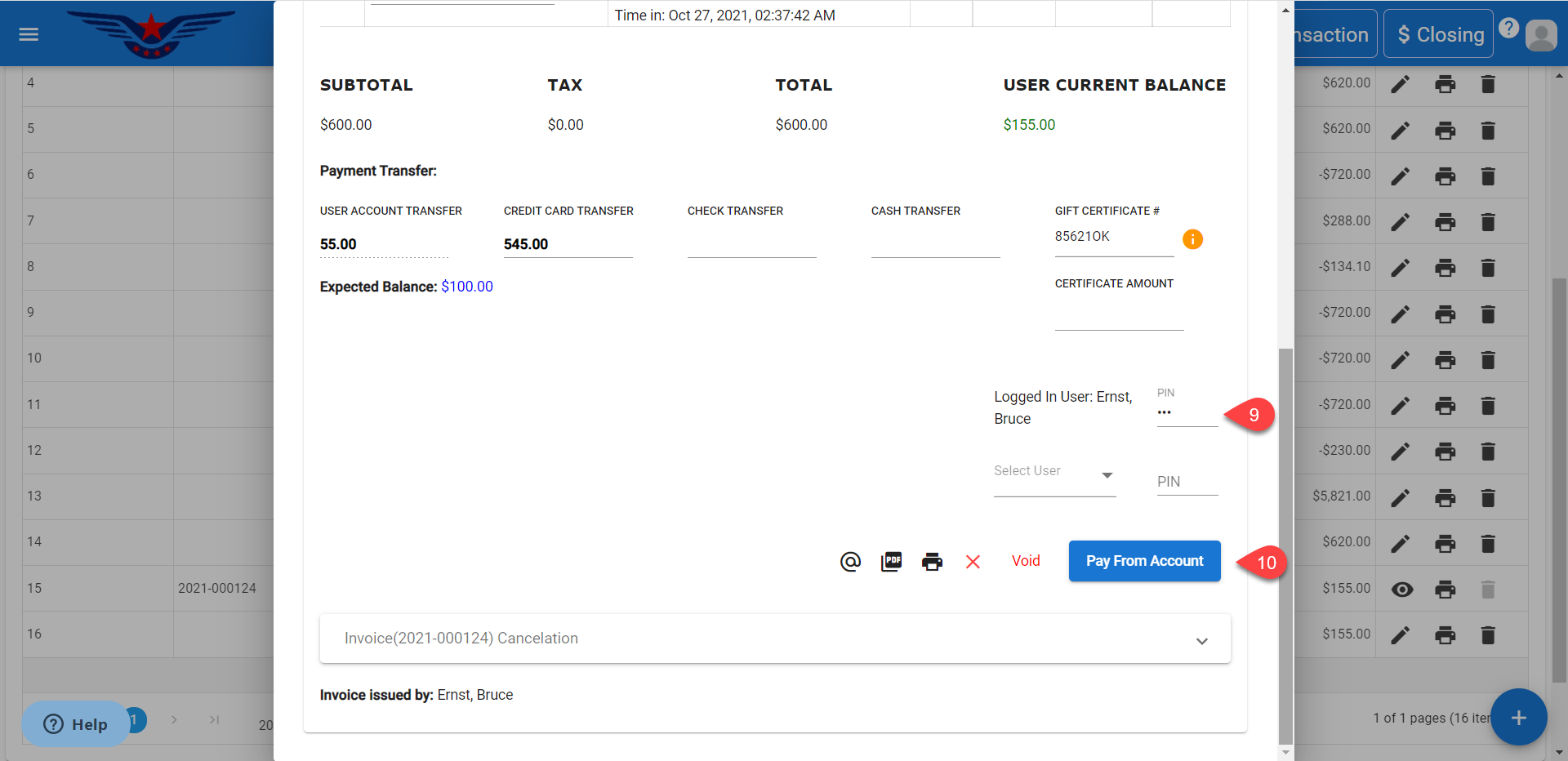
- In the Payment Transfer section, enter the gift certificate number in the Gift Certificate#.
- If the entered gift certificate number exists, it will be displayed in the drop down list. If the certificate number does not exist, i icon will be enabled and a sheet to create gift certificate will be displayed.
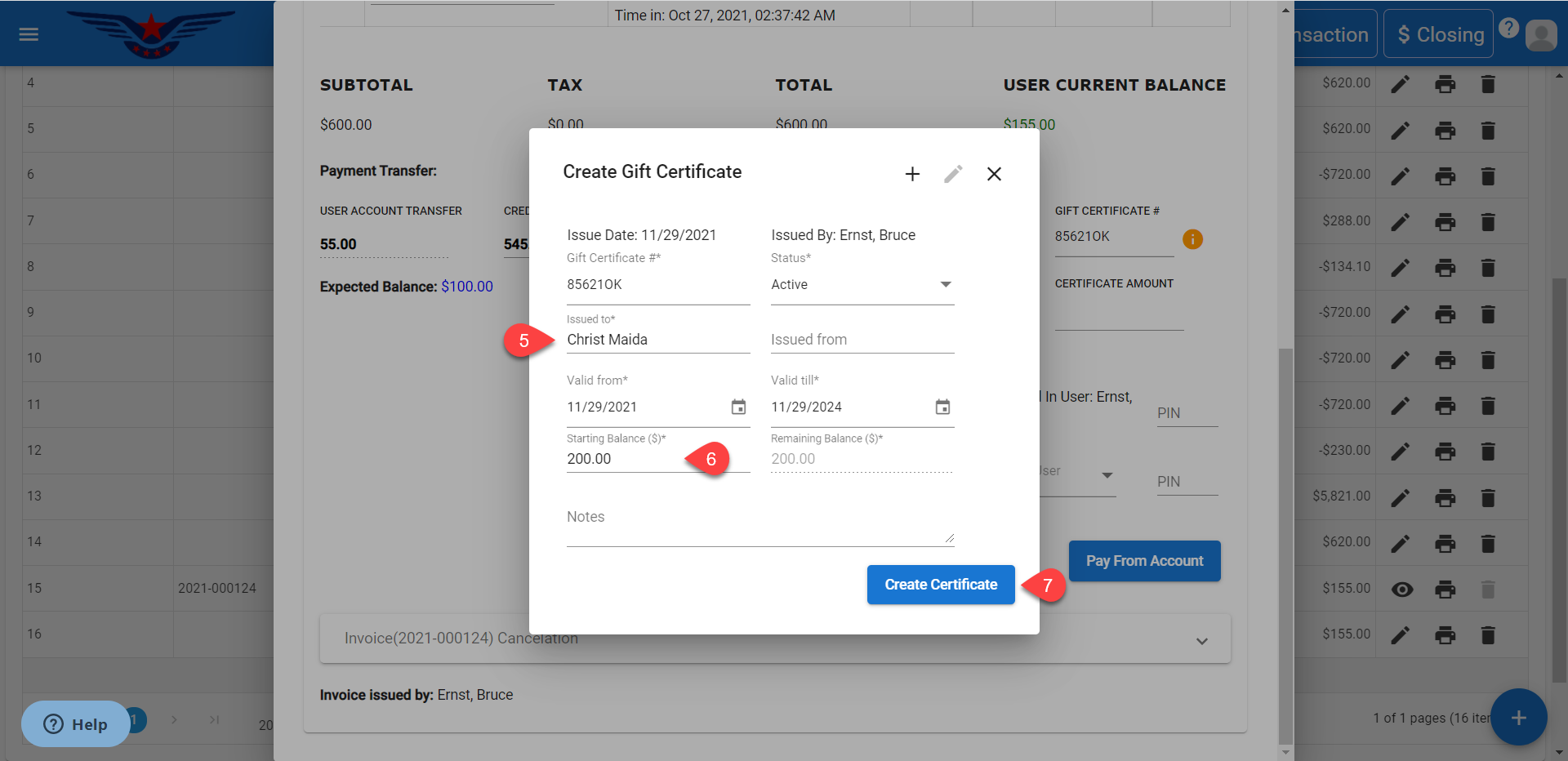
- Enter the name in Issued to field.
- Enter the Starting Balance($). The Remaining Balance($) will be auto filled accordingly.
- Click on the Create Certificate button.
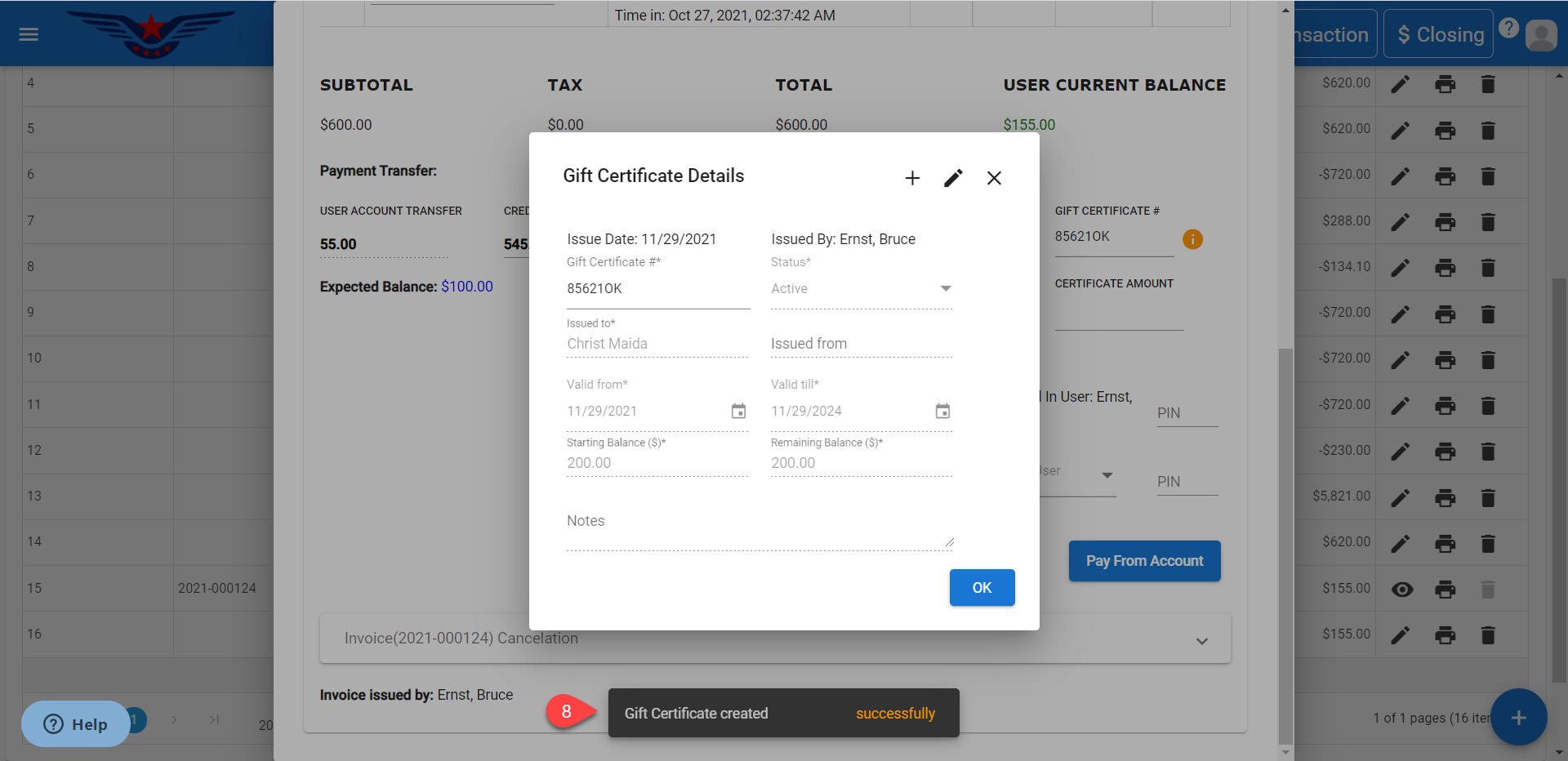
- A success message will be displayed for gift certificate creation.
- Enter the PIN on the Invoice sheet.
- Click on Pay From Account button.
.NOTE: If the invoice is made through Check In and is paid by the same user who has performed the Check In within the security relaxation duration set for the location, then the user need not enter the PIN again for paying invoice.
Comments
0 comments
Please sign in to leave a comment.