
If not signed in, kindly sign in into FBO Master.
1. Invoice list is displayed on the dashboard.
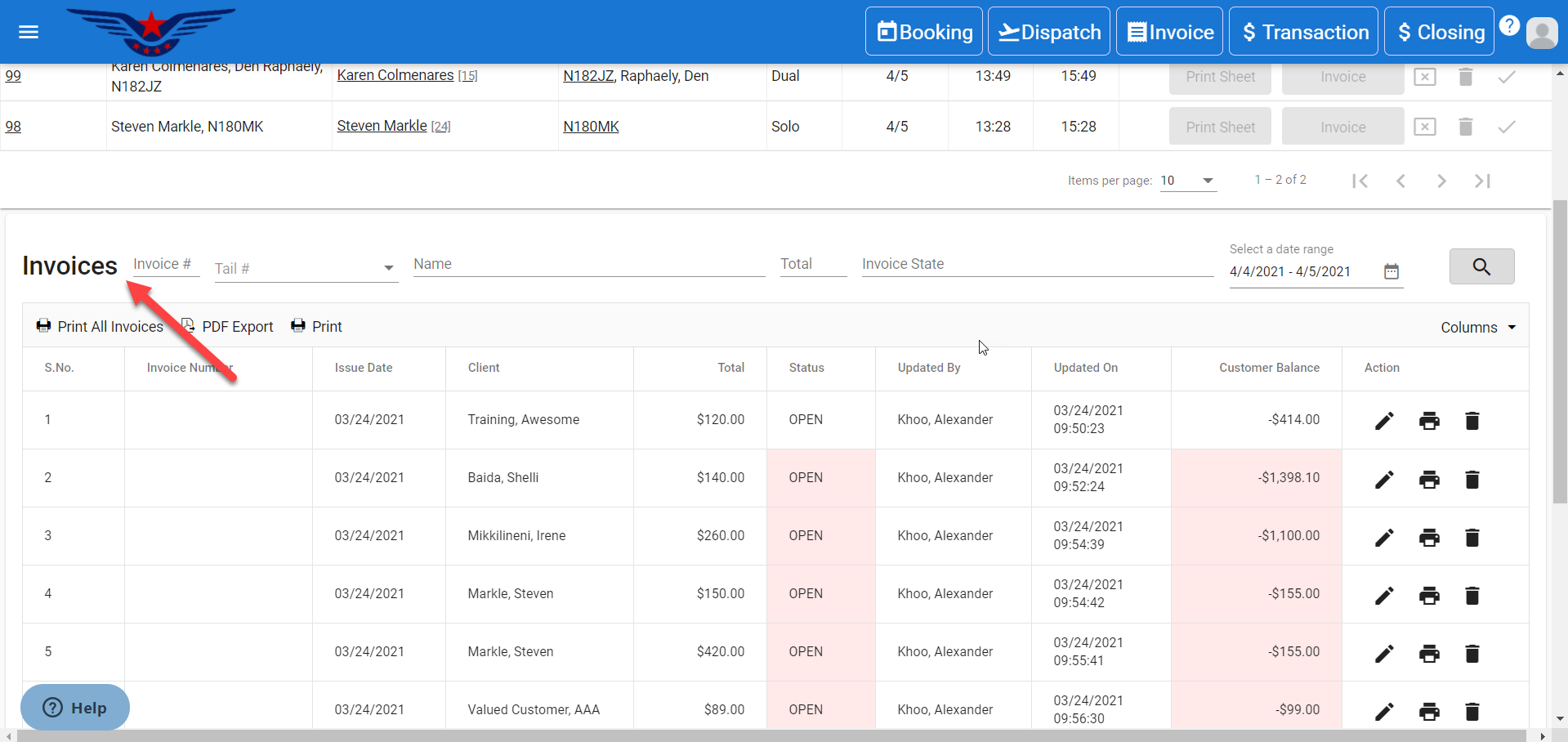
OR
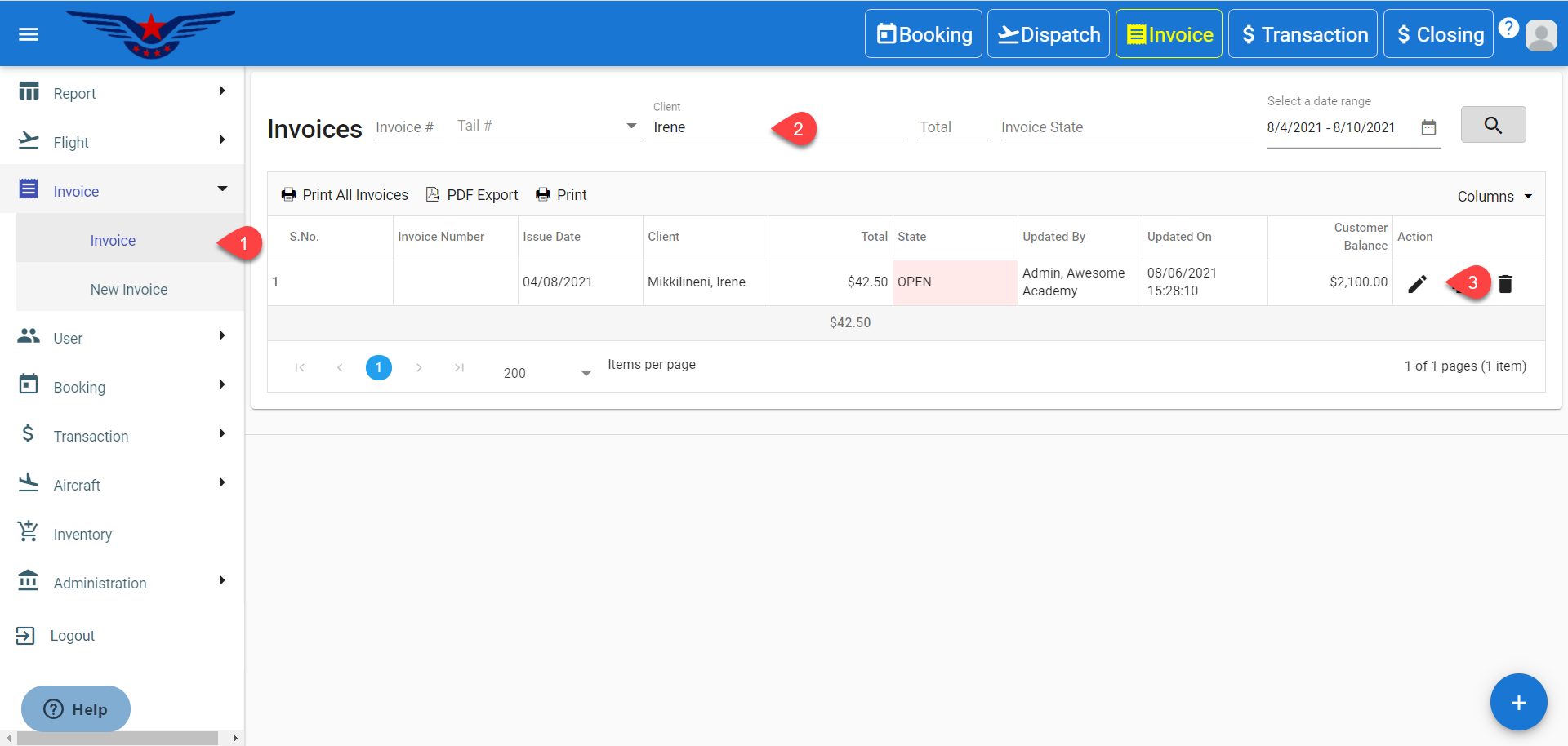
Click on the hamburger icon on the top left corner of the navigation bar. Select the Invoice main menu. Click on the Invoice sub menu.
2. Invoice list will be displayed. Either navigate the list or search in the list by Tail Number, Invoice Number, Name, Total, Invoice State, Date range.
3. Click on the Pen icon (edit) under the action column of the list.
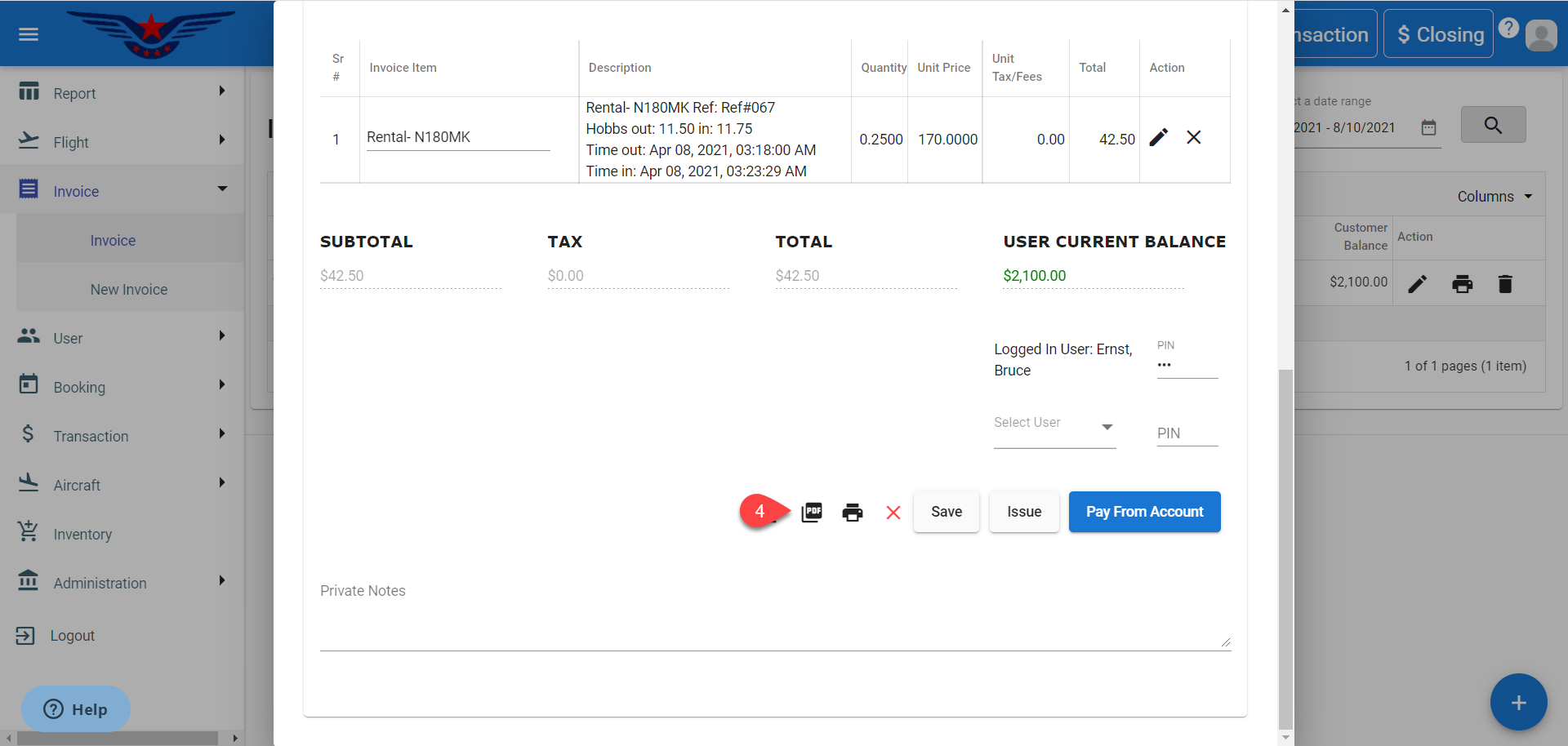
4. Click on the PDF icon to generate PDF of an invoice.
Comments
0 comments
Please sign in to leave a comment.